How to Bulk Schedule Social Media Posts
Across 9+ Platforms
Stop posting one platform at a time. Learn how to schedule weeks of content across TikTok, Instagram, YouTube, and more in minutes with TheTabber.
Step-by-Step: Bulk Schedule with TheTabber
Follow these 7 simple steps to schedule your content across all platforms at once.
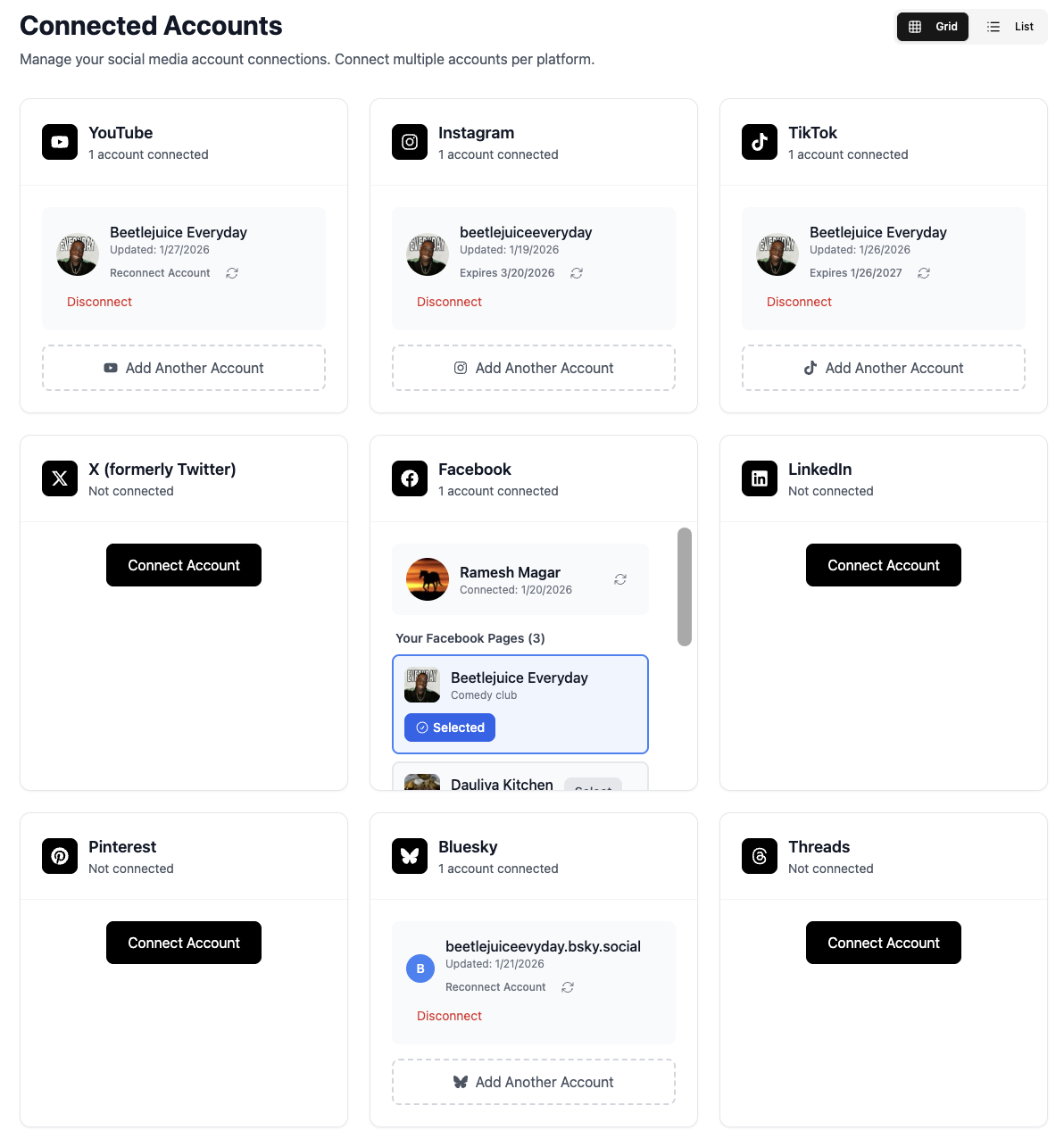
Connect Your Social Media Accounts
Link all your social media accounts to TheTabber. We support 9+ platforms including TikTok, Instagram, YouTube, Facebook, X, LinkedIn, Threads, Bluesky, and Pinterest.
- Connect multiple accounts per platform
- Switch between business/creator accounts easily
- Secure OAuth authentication - we never store passwords
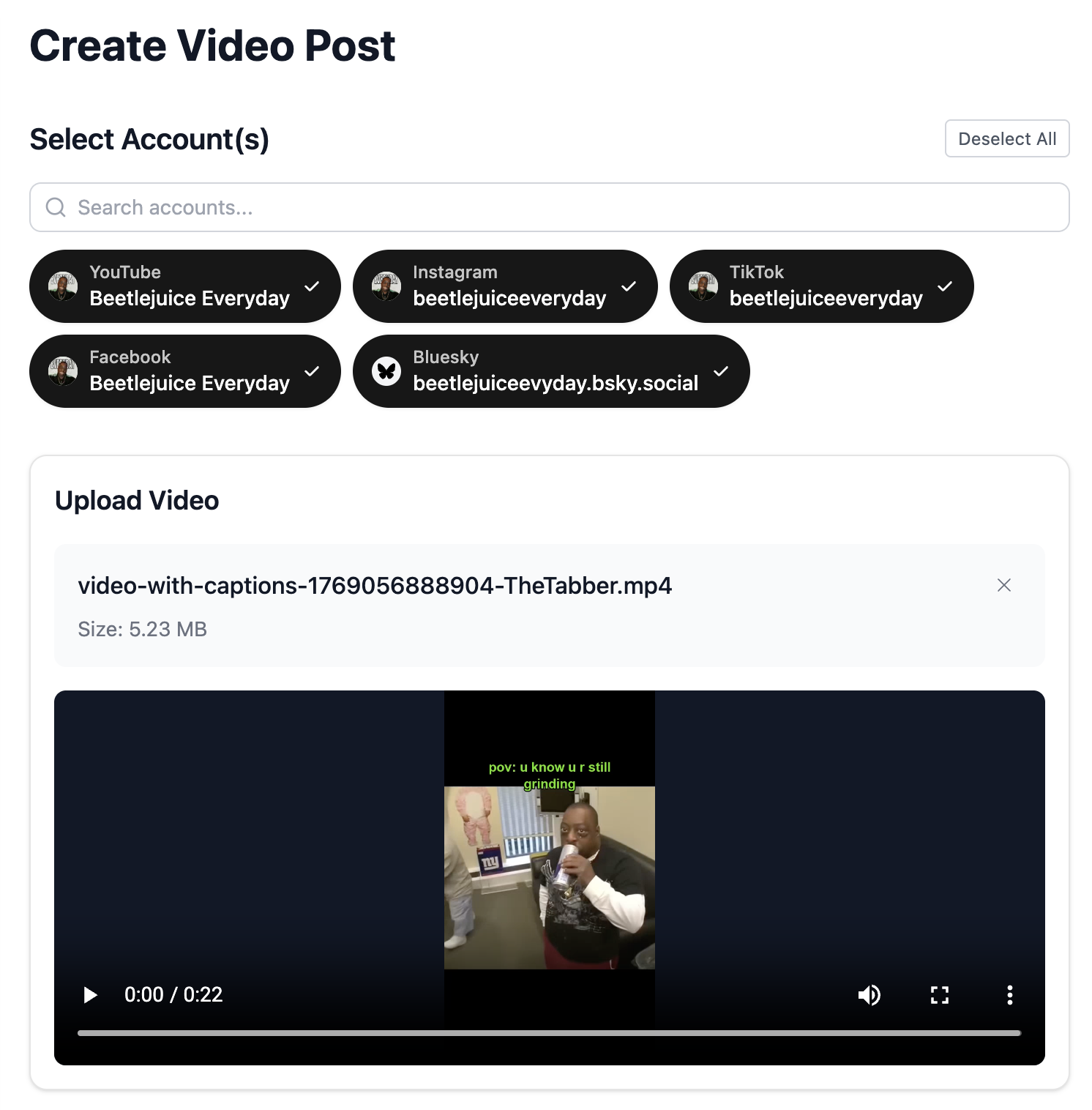
Create Your Video or Image Post
Upload your video content or create an image post. TheTabber supports both video and text/image posts across all platforms.
- Drag and drop videos up to 10 minutes
- Auto-trim and split long videos for TikTok
- Support for vertical, square, and horizontal formats
Select Multiple Platforms & Accounts
Choose all the platforms and accounts you want to post to simultaneously. Select one or many - TheTabber handles cross-posting automatically.
- Bulk select all accounts with one click
- Mix video platforms (TikTok, YouTube) with image platforms
- Customize captions per platform
Write Your Caption with AI Assistance
Craft the perfect caption or let our AI assistant help you write engaging copy. Customize captions for each platform's best practices.
- AI-powered caption suggestions
- Hashtag recommendations per platform
- Individual captions for different audiences
Configure Platform-Specific Settings
Fine-tune settings for each platform. Set YouTube visibility, TikTok privacy levels, Pinterest boards, and more.
- YouTube: Set visibility, category, and description
- TikTok: Control comments, duets, and stitches
- Pinterest: Select boards and add destination links
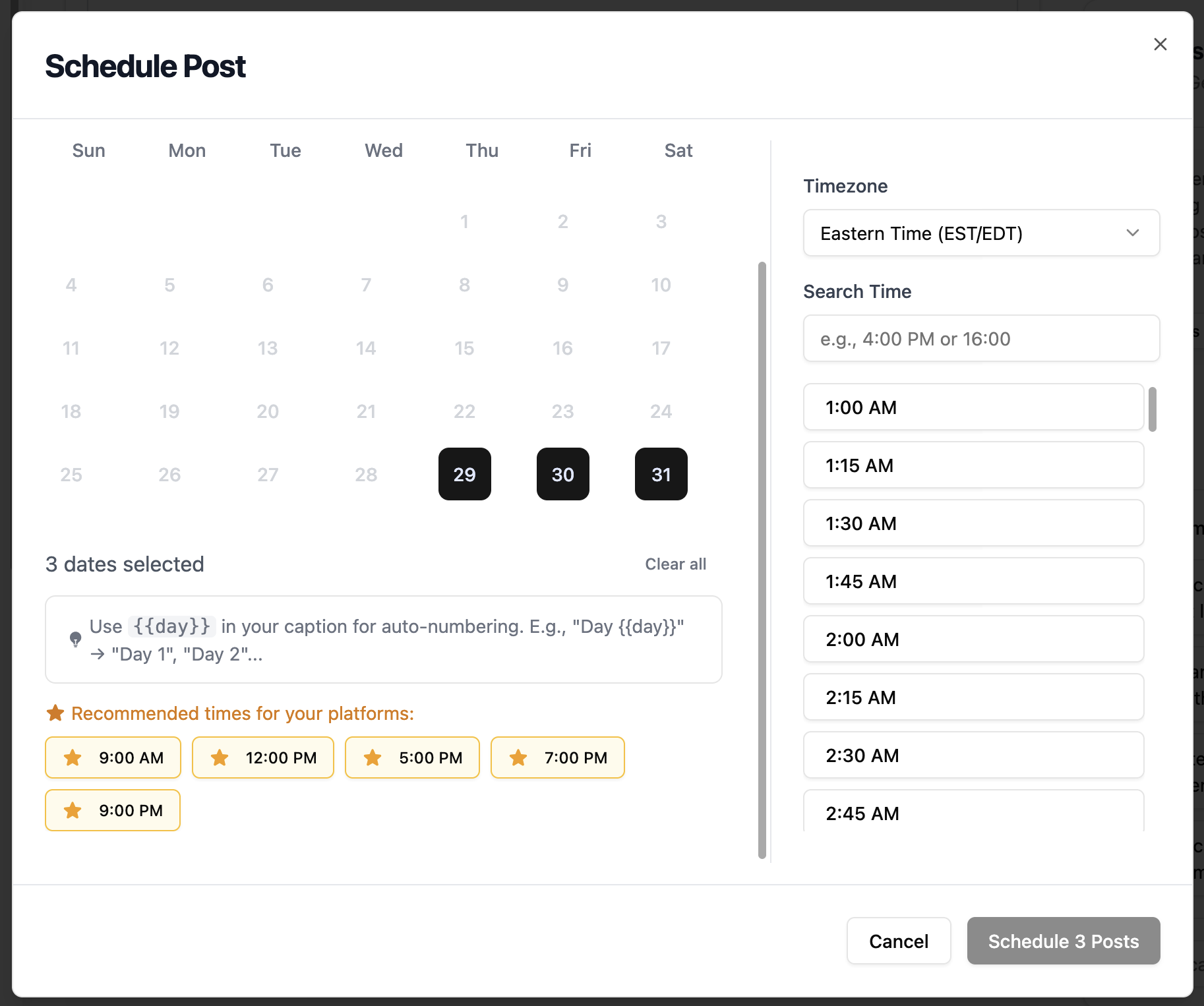
Schedule for the Perfect Time
Click 'Schedule' to set your posting time. Choose date, time, and timezone. TheTabber will publish automatically at your scheduled time.
- Schedule days, weeks, or months in advance
- Choose optimal times based on our research
- Set timezone to match your audience
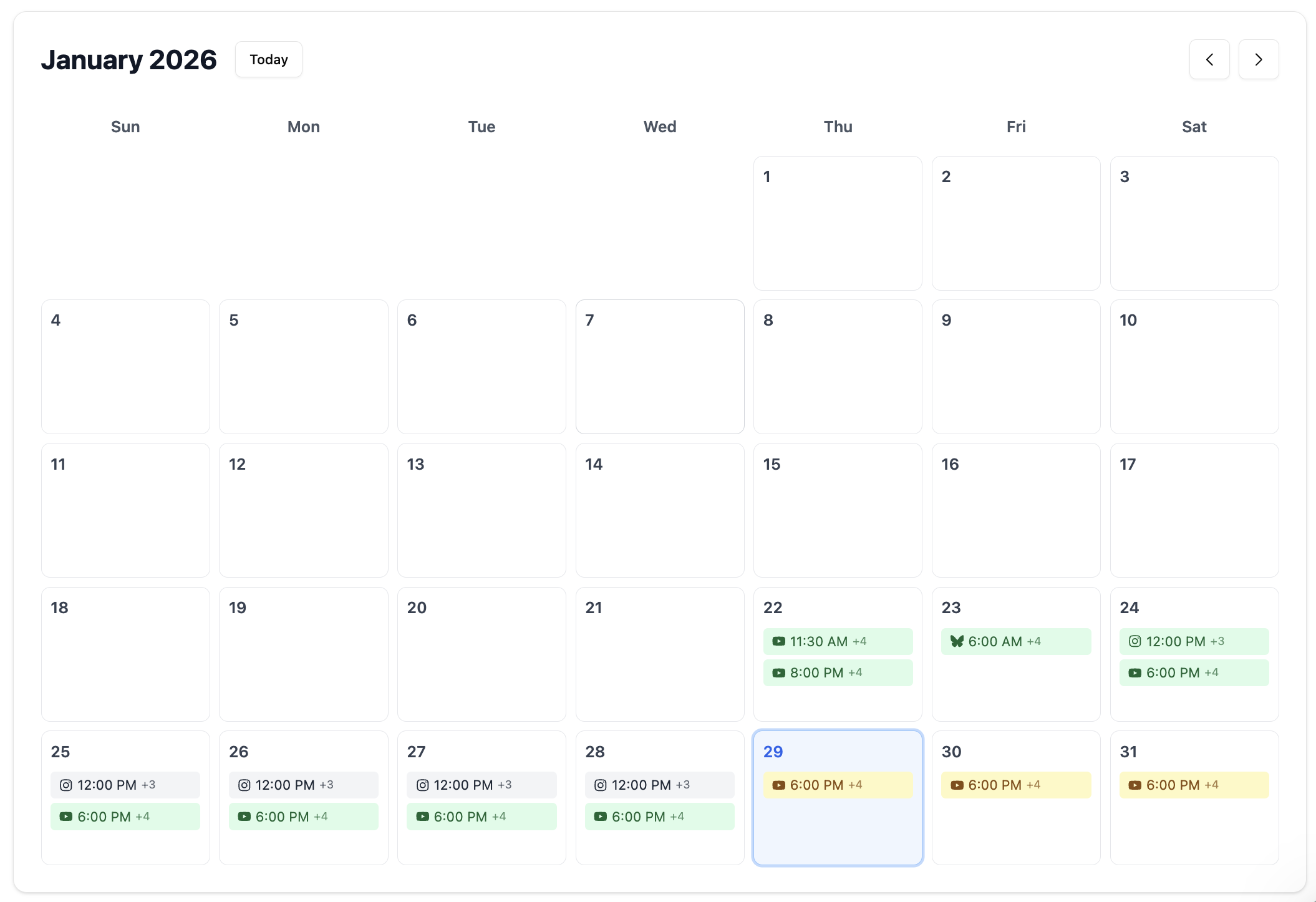
View & Manage in Calendar
See all your scheduled posts in a beautiful calendar view. Edit, reschedule, or cancel posts at any time before publishing.
- Month, week, and day calendar views
- Drag and drop to reschedule
- Track published and failed posts
Platform-Specific Scheduling Guides
Choose your platform for a detailed, step-by-step guide tailored to that platform's unique features and best practices.
Why Bulk Scheduling Changes Everything
Manual posting wastes hours every week. Bulk scheduling lets you create content when you're creative and publish it at optimal times automatically.
Save 10+ Hours Weekly
Schedule a week's worth of content in under an hour instead of posting manually every day.
Post at Peak Times
Schedule posts for when your audience is most active, even if that's 3 AM in your timezone.
Maintain Consistency
Never miss a posting day. Consistent posting helps algorithm favor your content.
Batch Content Creation
Create content when you're creative, schedule it for optimal distribution throughout the week.
Cross-Platform Efficiency
Post to 9+ platforms simultaneously. Write once, publish everywhere.
Scale Your Presence
Manage multiple brands or accounts without multiplying your workload.
Auto-Number Your Posts with {{#}}
Creating a "Day 1, Day 2, Day 3..." series? Just use {{#}} in your caption and TheTabber will automatically replace it with sequential numbers based on how many posts you schedule.
Pro Tips for Bulk Scheduling Success
Batch Your Content Creation
Dedicate 2-3 hours once a week to create all your content. You'll stay in a creative flow and produce better quality content than creating daily.
Use Optimal Posting Times
Check our Best Time to Post guides for each platform. Schedule posts when your audience is most active.
Customize Per Platform
Same content, different captions. Use TheTabber's individual caption feature to optimize for each platform's audience and best practices.
Review Your Calendar Weekly
Use the Calendar view to spot gaps in your schedule. Aim for consistent posting frequency - 1-2 posts per day per platform is ideal.
Bulk Schedule Videos & Images
TheTabber supports both video and image/text posts with dedicated workflows.
Video Posts
Perfect for TikTok, YouTube Shorts, Instagram Reels, Facebook Videos, and Pinterest Video Pins.
- Upload videos up to 10 minutes
- Auto-split long videos for TikTok
- Platform-specific settings (privacy, visibility)
- Separate YouTube descriptions
Text & Image Posts
Ideal for X (Twitter), LinkedIn, Threads, Bluesky, Facebook, and Instagram carousel posts.
- Multiple images per post
- AI-powered caption assistance
- Thread support for X and Threads
- Character count per platform
Ready to Save Hours Every Week?
Join thousands of creators who bulk schedule their content with TheTabber. Start your free trial today.
Start Scheduling FreeFrequently Asked Questions
How many posts can I schedule in advance with TheTabber?
There's no limit to how many posts you can schedule in advance. Schedule your entire month's content calendar if you want - TheTabber will publish each post at its designated time automatically.
Can I schedule the same post to multiple platforms at once?
Yes! That's one of TheTabber's core features. Select multiple platforms and accounts, and your content will be posted to all of them at your scheduled time. You can even customize captions for each platform.
What does {{#}} do when bulk scheduling?
Use {{#}} in your caption to automatically insert sequential numbers. When you bulk schedule 7 posts, {{#}} becomes 1, 2, 3, 4, 5, 6, 7 respectively. Perfect for creating 'Day 1 of 30', 'Tip #1', 'Part 1' series content.
What happens if a scheduled post fails to publish?
TheTabber monitors all scheduled posts and notifies you of any failures. Failed posts show detailed error messages (like expired tokens) so you can fix the issue and reschedule. Successfully published accounts are tracked separately.
Can I edit or delete a scheduled post before it publishes?
Absolutely. Use the Calendar view to see all scheduled posts. Click any post to edit its content, change the scheduled time, or delete it entirely before it publishes.
Does bulk scheduling work for both videos and images?
Yes, TheTabber supports bulk scheduling for both video posts (TikTok, YouTube, Instagram Reels, etc.) and text/image posts (X, LinkedIn, Threads, Bluesky, etc.). Each content type has its own optimized workflow.
What's the best time to schedule my posts?
It depends on your platform and audience location. Check our Best Time to Post guides for research-backed optimal times. Generally, weekday mornings (9-11 AM) and evenings (7-9 PM) see high engagement across most platforms.
How far in advance can I schedule posts?
You can schedule posts as far in advance as you want - days, weeks, or even months ahead. Many creators batch-create a month's content and schedule it all at once for maximum efficiency.
Is my content secure when I schedule posts?
Yes. TheTabber uses secure OAuth authentication for all platform connections. We never store your social media passwords. Your content is encrypted and stored securely until publishing time.