How to Bulk Schedule YouTube Posts
YouTube is the world's largest video platform with over 2.5 billion monthly users. Bulk scheduling your YouTube videos and Shorts allows you to maintain a consistent upload schedule, optimize for the algorithm, and grow your channel while saving hours of manual work.
What You Can Schedule on YouTube
YouTube uploads support visibility settings (Public/Unlisted/Private), category selection, made for kids compliance, and detailed descriptions with SEO optimization.
How to Bulk Schedule YouTube Posts
Follow these 6 simple steps to schedule your YouTube content.
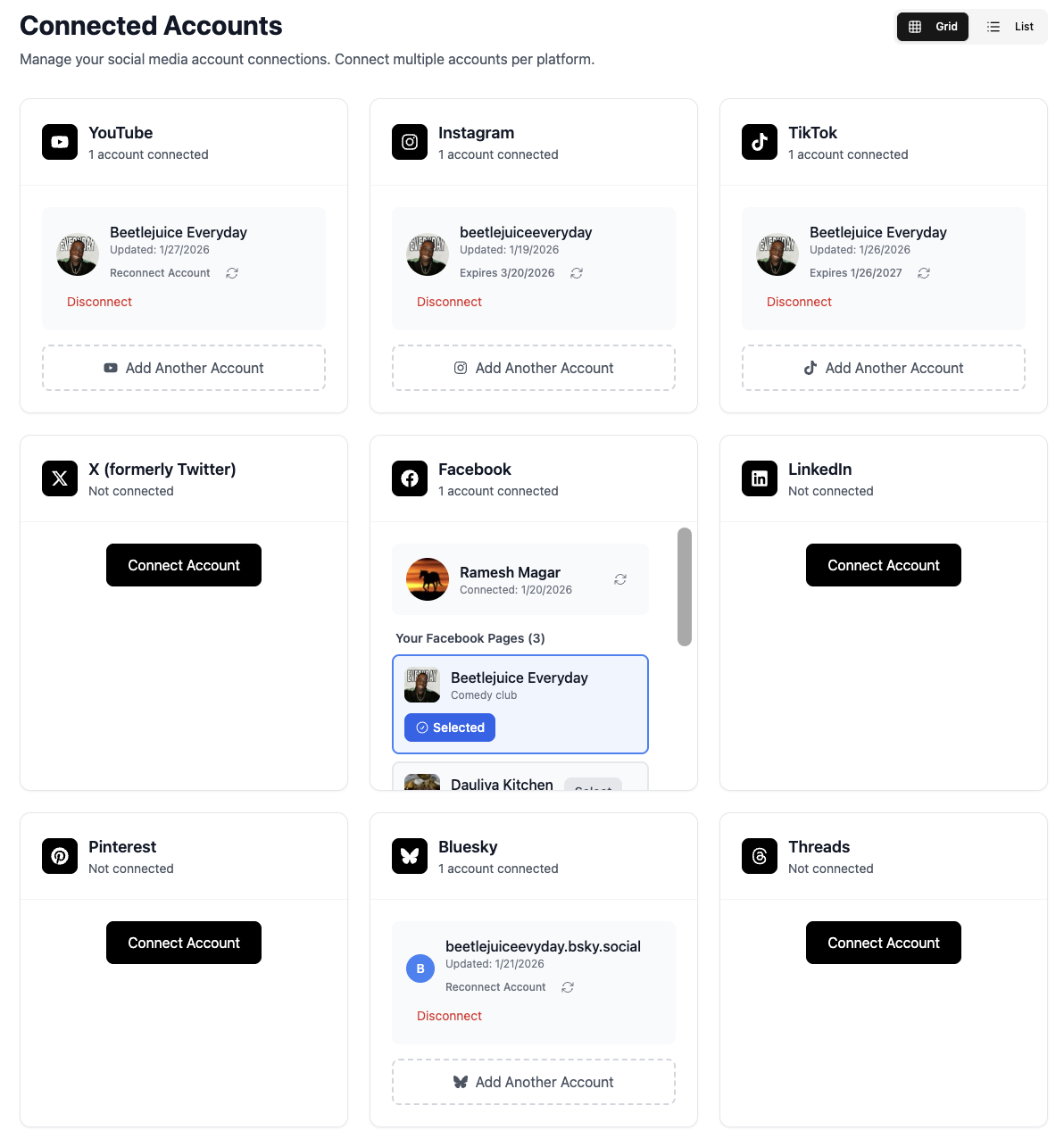
Connect Your YouTube Channel
Link your YouTube channel to TheTabber through Google OAuth. Connect multiple channels to manage all your YouTube presence from one dashboard.
- Sign in with your Google account
- Connect multiple channels if you have them
- Works with personal and brand channels
Upload Your YouTube Video
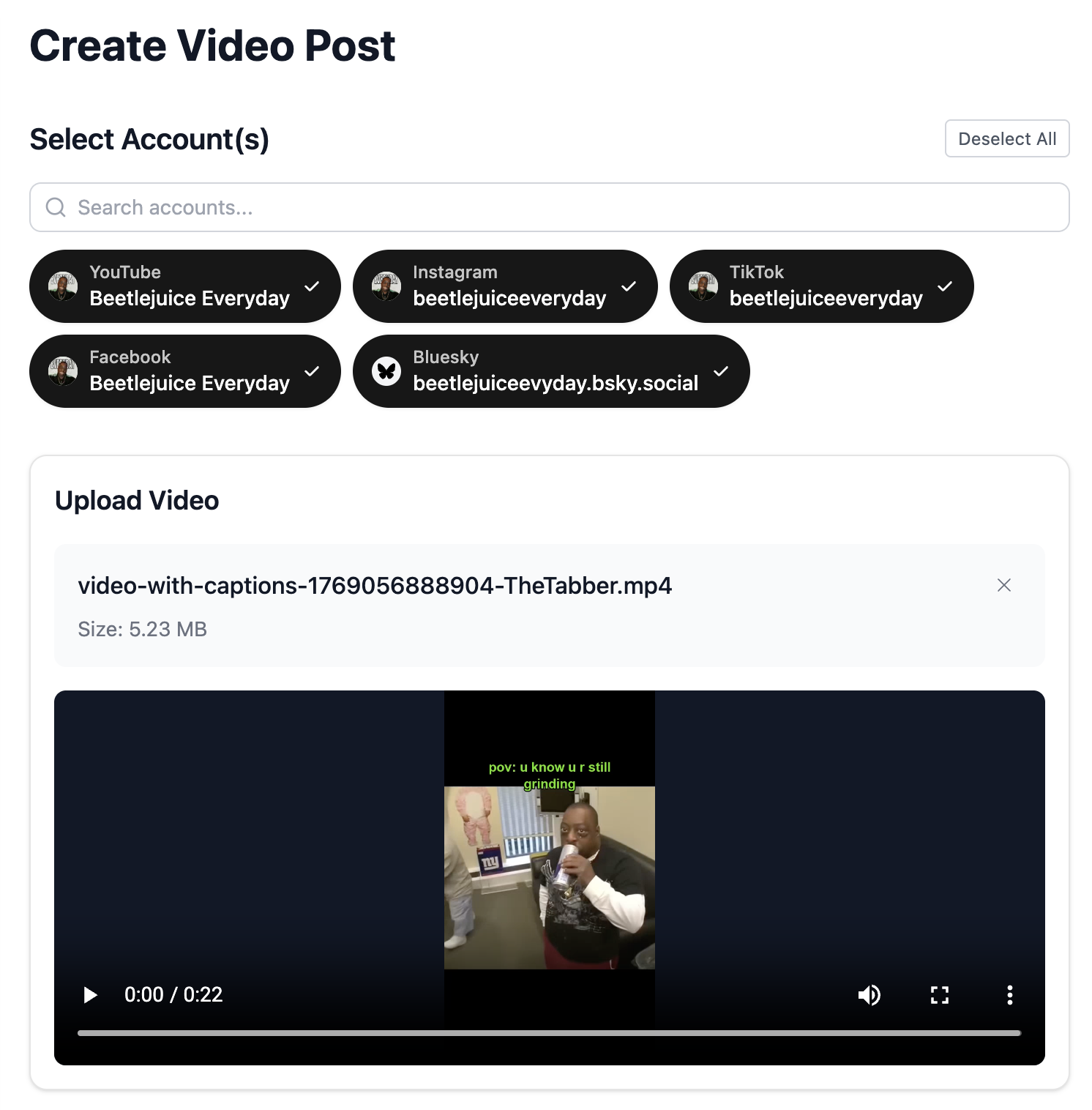
Upload your video content. YouTube supports various formats and lengths, from short Shorts to full-length videos.
- YouTube Shorts: Under 60 seconds, 9:16 vertical
- Regular videos: Any length, 16:9 horizontal recommended
- Upload in the highest quality available
Select Your YouTube Channels
Choose which YouTube channels to upload to. Schedule the same video across multiple channels or customize for each.
- Post to multiple channels at once
- Great for managing multiple niche channels
- Each channel gets its own settings
Configure YouTube Settings
Set your YouTube-specific settings including visibility (Public/Unlisted/Private), category, and whether it's made for kids.
- Choose Public for immediate visibility
- Use Unlisted for previews before going public
- Select the right category for discoverability
Write Title and Description
Craft an SEO-optimized title and detailed description. Use our AI to generate compelling copy that ranks in YouTube search.
- Include target keywords in your title
- Write detailed descriptions (2000+ characters)
- Add timestamps, links, and hashtags in description
- Use {{#}} in titles for series (Episode {{#}}, Part {{#}}...)
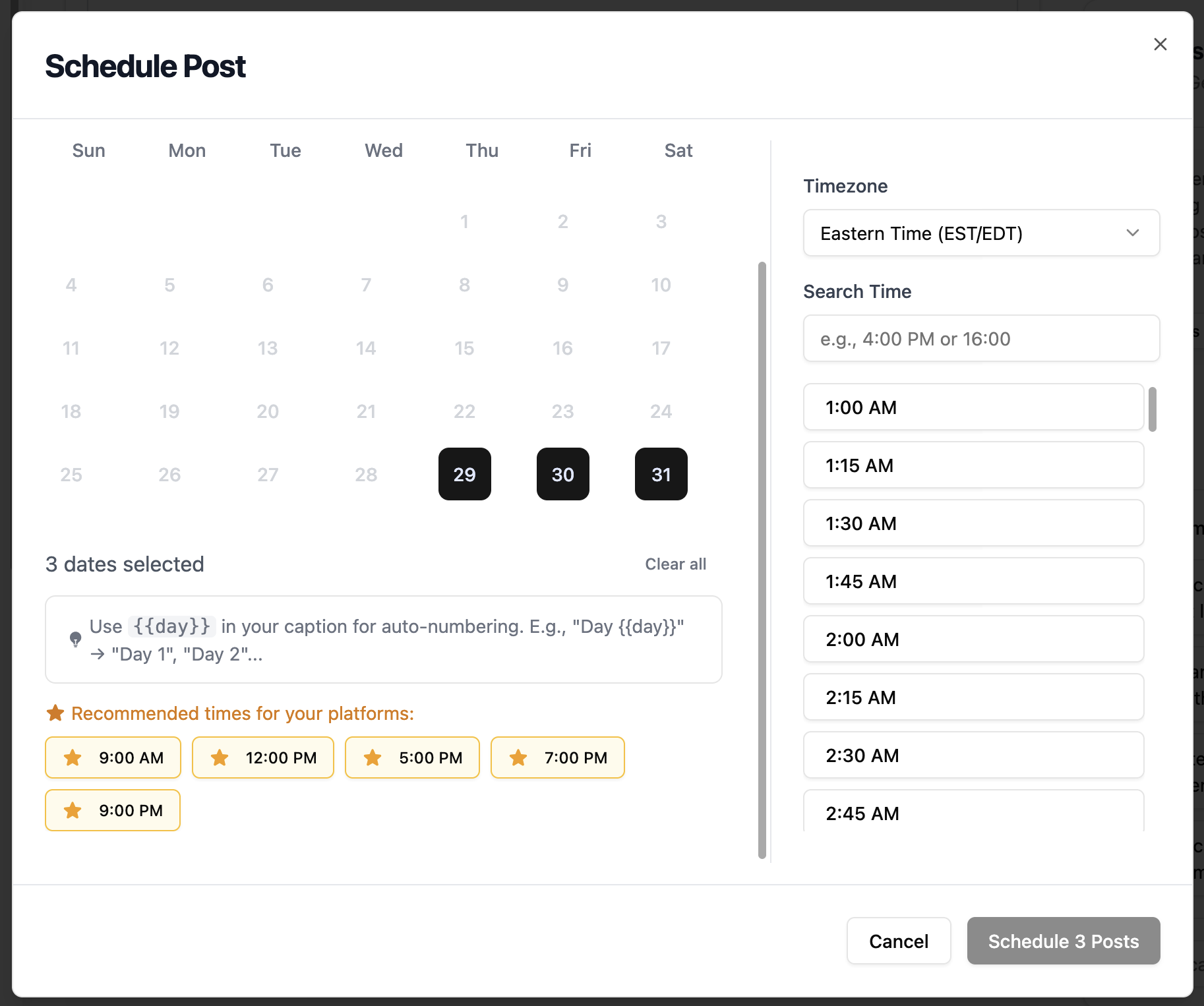
Schedule Your Upload
Set the premiere date and time for your YouTube video. Consider your audience's timezone and YouTube's peak viewing hours.
- Best times vary by niche - check your analytics
- Weekday afternoons work well for most content
- Consistent upload schedule helps channel growth
YouTube Scheduling Features
Everything you can do when bulk scheduling YouTube posts with TheTabber.
YouTube Scheduling Tips
Expert tips to maximize your YouTube reach with scheduled posts.
Who Should Bulk Schedule YouTube?
Perfect for YouTubers and brands who want to maintain a consistent upload schedule across multiple channels without manual daily uploads.
Ready to Schedule Your YouTube Posts?
Bulk scheduling YouTube videos lets you batch your uploads and maintain the consistency that YouTube's algorithm rewards. Focus on creating great content while TheTabber handles the publishing schedule.
Start Scheduling FreeYouTube Scheduling FAQ
Can I schedule YouTube Shorts with TheTabber?
Yes! Upload a vertical video under 60 seconds and it will be posted as a YouTube Short. TheTabber automatically detects Shorts based on aspect ratio and length.
Can I add thumbnails to scheduled YouTube videos?
Currently, custom thumbnails need to be added directly in YouTube Studio after the video is uploaded. TheTabber schedules the video with auto-generated thumbnails.
What visibility options are available?
TheTabber supports Public (visible to everyone), Unlisted (only those with link), and Private (only you). You can schedule as Public or change visibility in YouTube Studio.
Can I edit metadata after scheduling?
Yes, you can edit the title, description, and settings of any scheduled YouTube video before it publishes. After publishing, make changes directly in YouTube Studio.
Does scheduling affect YouTube algorithm performance?
No, scheduled videos perform the same as manually uploaded videos. YouTube treats scheduled uploads identically to immediate uploads.
Can I auto-number my video series titles?
Yes! Use {{#}} in your title or description. When bulk scheduling, it auto-fills with 1, 2, 3... Great for 'Episode {{#}}', 'Part {{#}}', or 'Day {{#}}' series.