How to Bulk Schedule Instagram Posts
Instagram is the go-to platform for visual content with over 2 billion monthly users. Bulk scheduling your Instagram posts lets you maintain a beautiful, cohesive feed while posting at optimal times for maximum engagement - all without being glued to your phone.
What You Can Schedule on Instagram
Instagram posts support cover image selection for Reels, location tagging, and the option to share to Facebook simultaneously.
How to Bulk Schedule Instagram Posts
Follow these 5 simple steps to schedule your Instagram content.
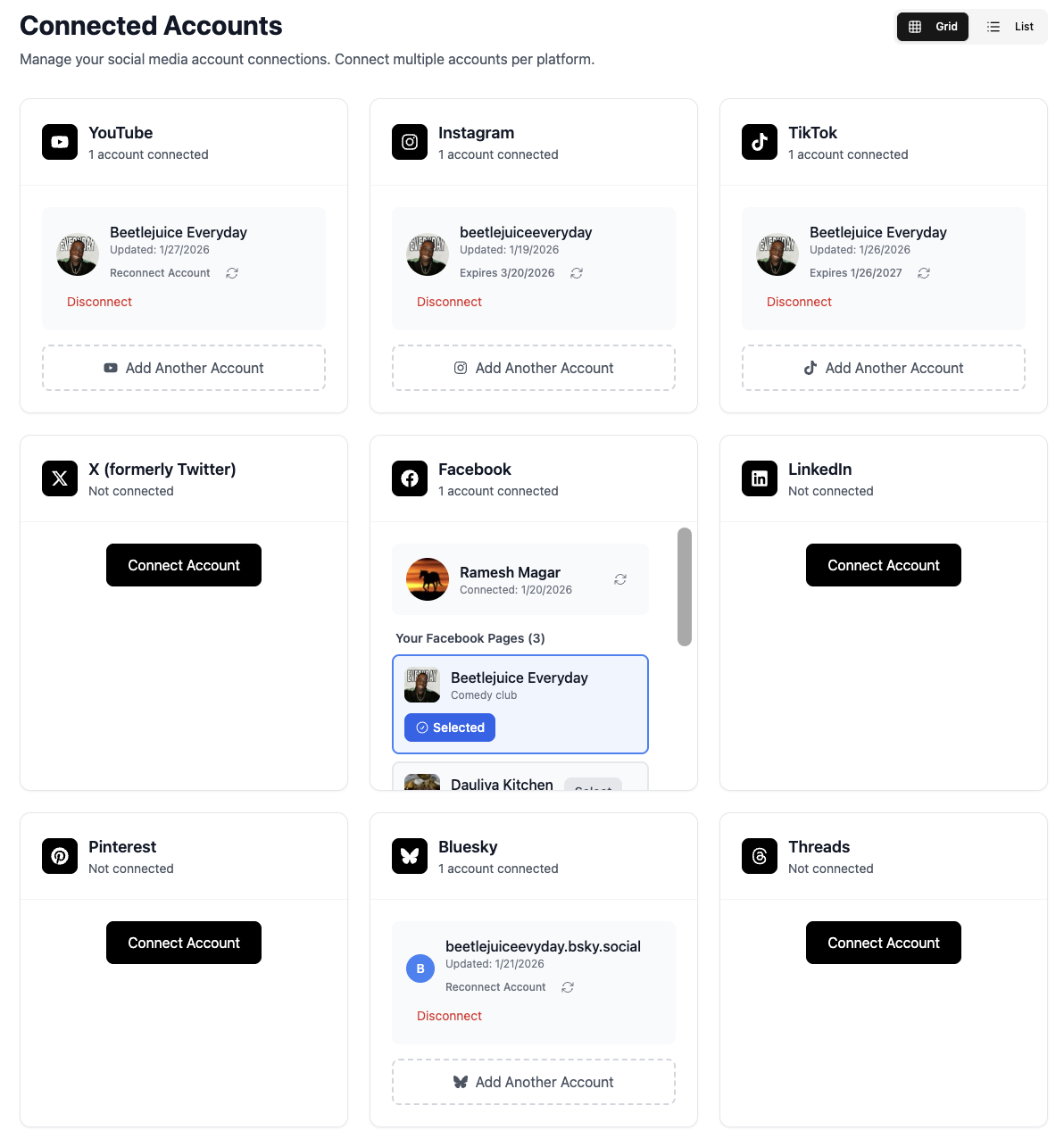
Connect Your Instagram Business Account
Link your Instagram Business or Creator account to TheTabber. Professional accounts are required for scheduled posting through the Instagram API.
- Switch to a Business or Creator account in Instagram settings
- Connect through your linked Facebook Page
- Personal accounts cannot be scheduled to (Instagram limitation)
Upload Your Reel or Feed Content
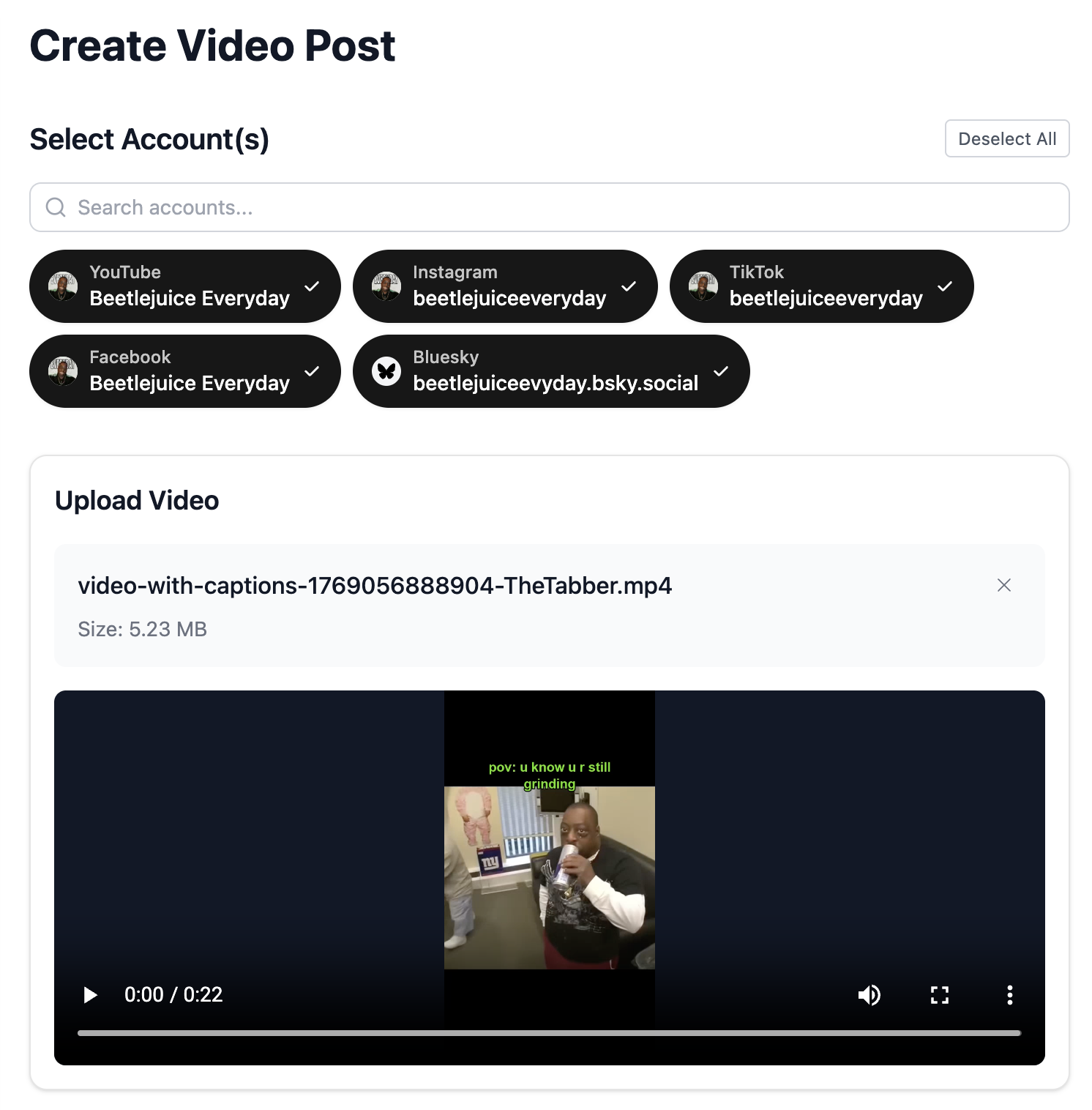
Upload your video for Reels or images for feed posts. Instagram favors vertical content (9:16) for Reels and square/vertical for feed posts.
- Reels: 9:16 vertical, up to 90 seconds
- Feed posts: Square (1:1) or vertical (4:5) perform best
- High-quality visuals are essential for Instagram
Select Your Instagram Accounts
Choose which Instagram accounts to post to. Connect multiple accounts to manage all your Instagram presence from one dashboard.
- Post the same Reel to multiple accounts
- Mix Instagram with TikTok for cross-platform Reels
- Each account maintains its own aesthetic
Write Your Instagram Caption
Create an engaging caption with relevant hashtags. Use our AI to generate captions optimized for Instagram's algorithm and your niche.
- First line is crucial - hook your audience immediately
- Use 5-10 relevant hashtags (quality over quantity in 2026)
- Include a call-to-action (save, share, comment)
- Use {{#}} to auto-number series posts (Part 1, Part 2...)
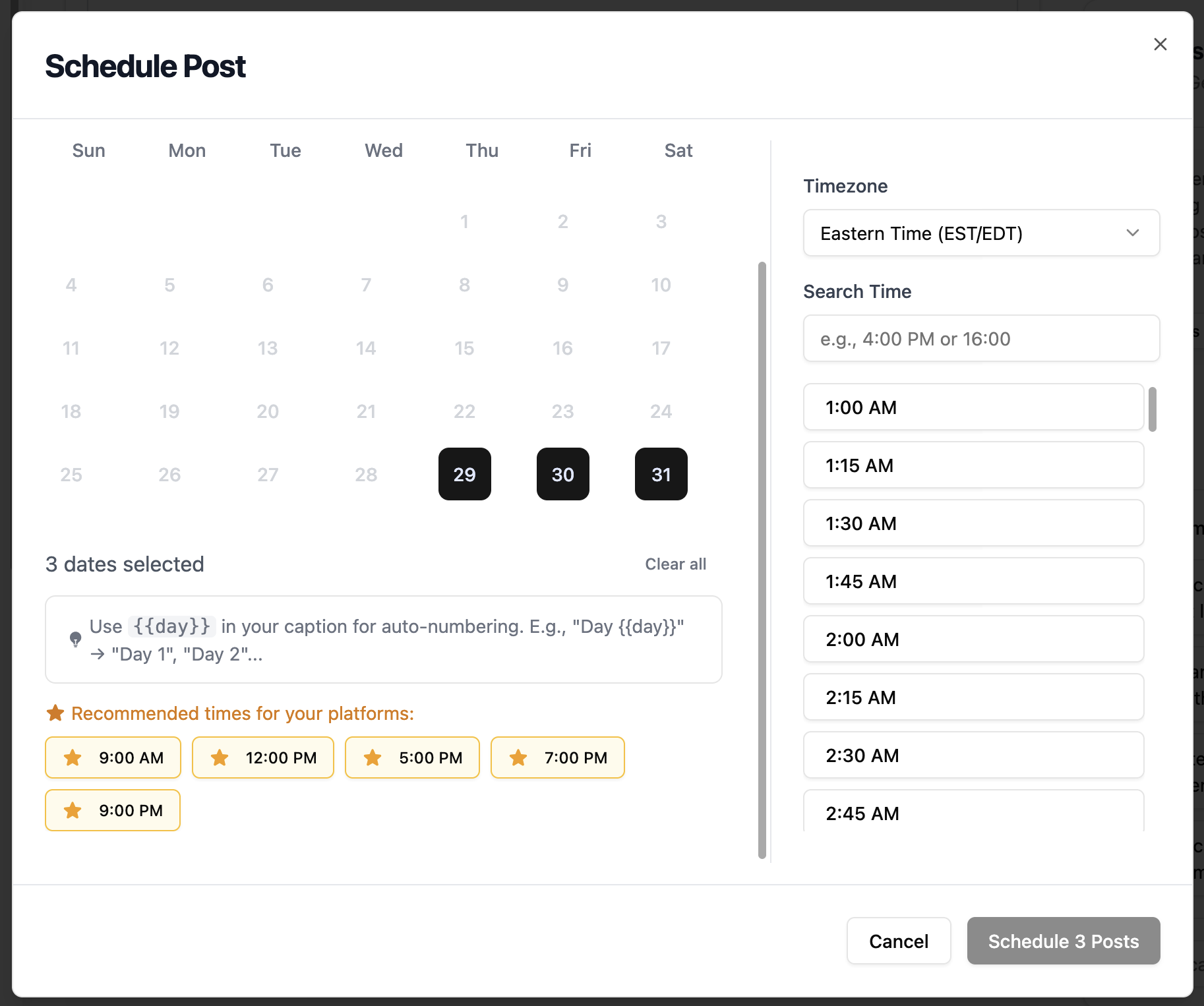
Schedule for Peak Engagement
Set your posting time for when your Instagram audience is most active. Evening hours and weekends typically see higher engagement.
- Best times: 11 AM - 2 PM and 7 PM - 9 PM
- Friday and Saturday evenings are prime for Reels
- Check your Instagram Insights for your specific audience
Instagram Scheduling Features
Everything you can do when bulk scheduling Instagram posts with TheTabber.
Instagram Scheduling Tips
Expert tips to maximize your Instagram reach with scheduled posts.
Who Should Bulk Schedule Instagram?
Perfect for influencers, brands, and creators who want to maintain a consistent posting schedule with high-quality visual content across multiple Instagram accounts.
Ready to Schedule Your Instagram Posts?
Bulk scheduling Instagram content lets you batch your creative work and maintain a consistent presence without daily posting stress. Let TheTabber handle the timing while you focus on creating amazing content.
Start Scheduling FreeInstagram Scheduling FAQ
Can I schedule Instagram Stories with TheTabber?
Currently, Instagram's API doesn't support scheduling Stories through third-party apps. TheTabber supports scheduling Reels and Feed posts. For Stories, you'll need to post directly through Instagram.
Why do I need a Business or Creator account?
Instagram only allows third-party scheduling through their official API, which requires a Professional (Business or Creator) account. Personal accounts cannot be scheduled to - this is an Instagram policy.
Can I schedule carousel posts?
Yes! TheTabber supports scheduling carousel posts with multiple images. Upload up to 10 images and they'll be posted as a carousel to your Instagram feed.
Will my scheduled Reels include the audio I selected?
Reels scheduled through TheTabber use the original audio from your uploaded video. Trending audio from Instagram's library must be added when posting natively.
How do I connect multiple Instagram accounts?
Each Instagram Business/Creator account needs to be connected to a Facebook Page. Connect each Page to TheTabber, and the associated Instagram accounts will be available for scheduling.
How do I number posts automatically when bulk scheduling?
Use {{#}} in your caption and it will be replaced with sequential numbers (1, 2, 3...) based on how many posts you schedule. Great for 'Part 1', 'Day 2', or 'Week 3' series.