How to Bulk Schedule Pinterest Posts
Pinterest is a visual discovery platform with over 500 million monthly users searching for inspiration. Bulk scheduling your Pinterest Pins allows you to maintain a consistent pinning strategy, reach users at optimal times, and drive traffic to your content.
What You Can Schedule on Pinterest
Pinterest Pins support board selection, destination links, alt text for accessibility, and SEO-optimized descriptions for discoverability.
How to Bulk Schedule Pinterest Posts
Follow these 6 simple steps to schedule your Pinterest content.
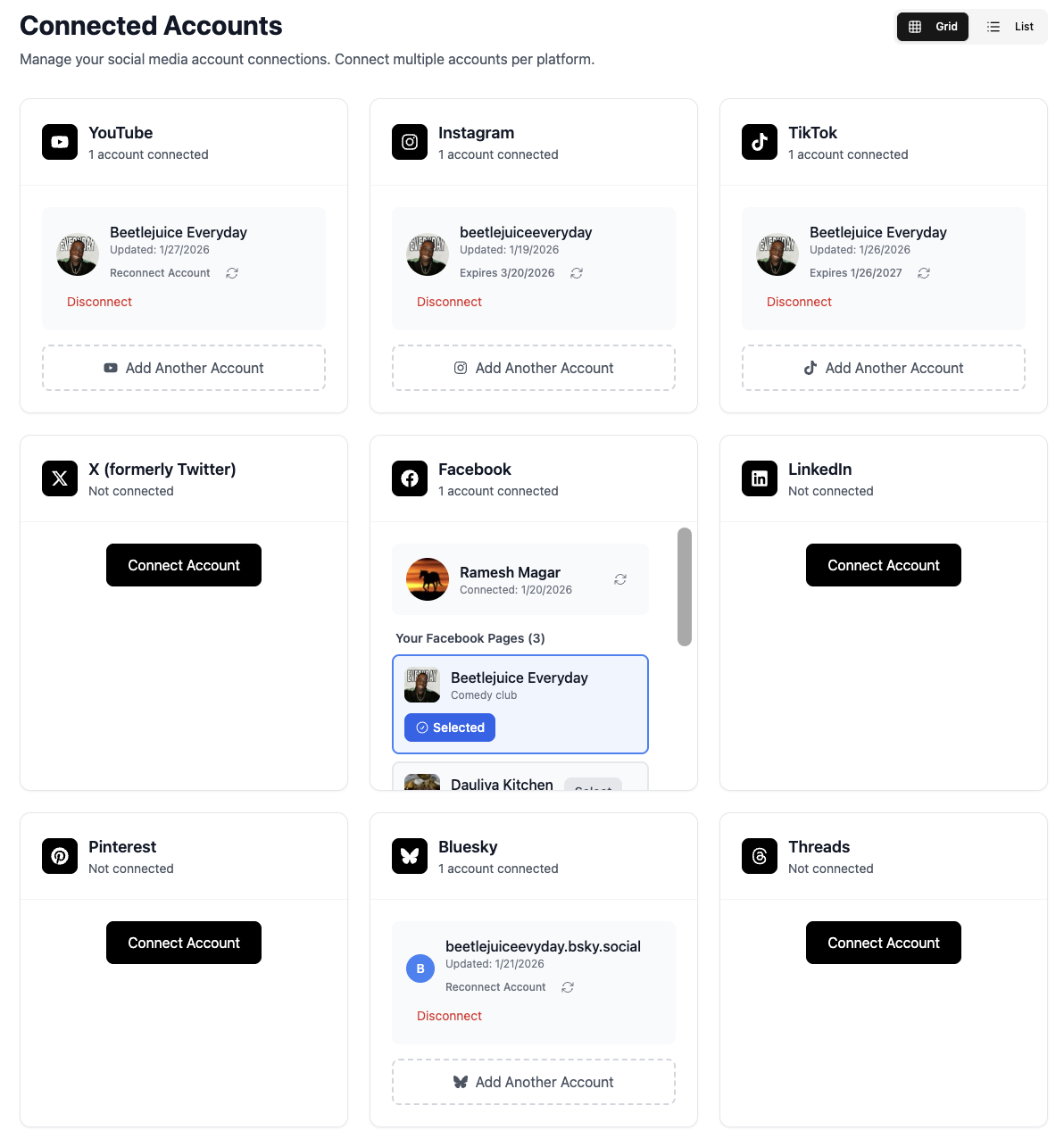
Connect Your Pinterest Account
Link your Pinterest Business account to TheTabber. Business accounts are required for API access and scheduling.
- Convert to a Business account if needed (free)
- Connect multiple Pinterest accounts
- Access to Pinterest Analytics included
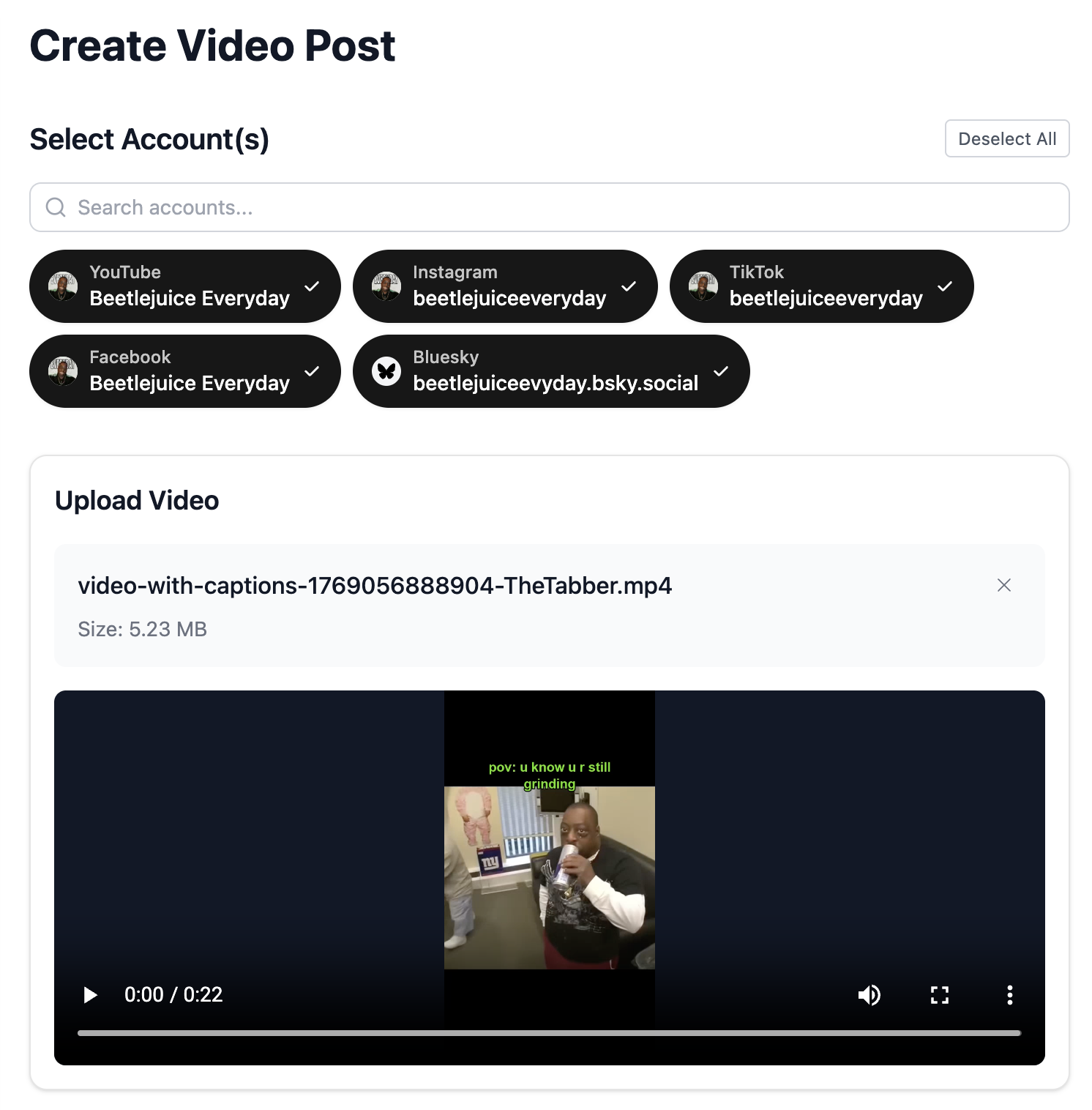
Upload Your Pin Content
Upload your image or video content. Pinterest favors vertical images (2:3 aspect ratio) for optimal display.
- Optimal size: 1000x1500 pixels (2:3 ratio)
- Video Pins: 4 seconds to 15 minutes
- High-quality, eye-catching visuals perform best
Select Your Pinterest Boards
Choose which boards to pin to. Organize your content across relevant boards for better discoverability.
- Pin to the most relevant board first
- Create niche-specific boards
- Board names should include keywords
Write Your Pin Description
Craft an SEO-optimized description with relevant keywords. Pinterest is a search engine - descriptions matter for discoverability.
- Include relevant keywords naturally
- Add a compelling call-to-action
- Use hashtags sparingly (2-5 max)
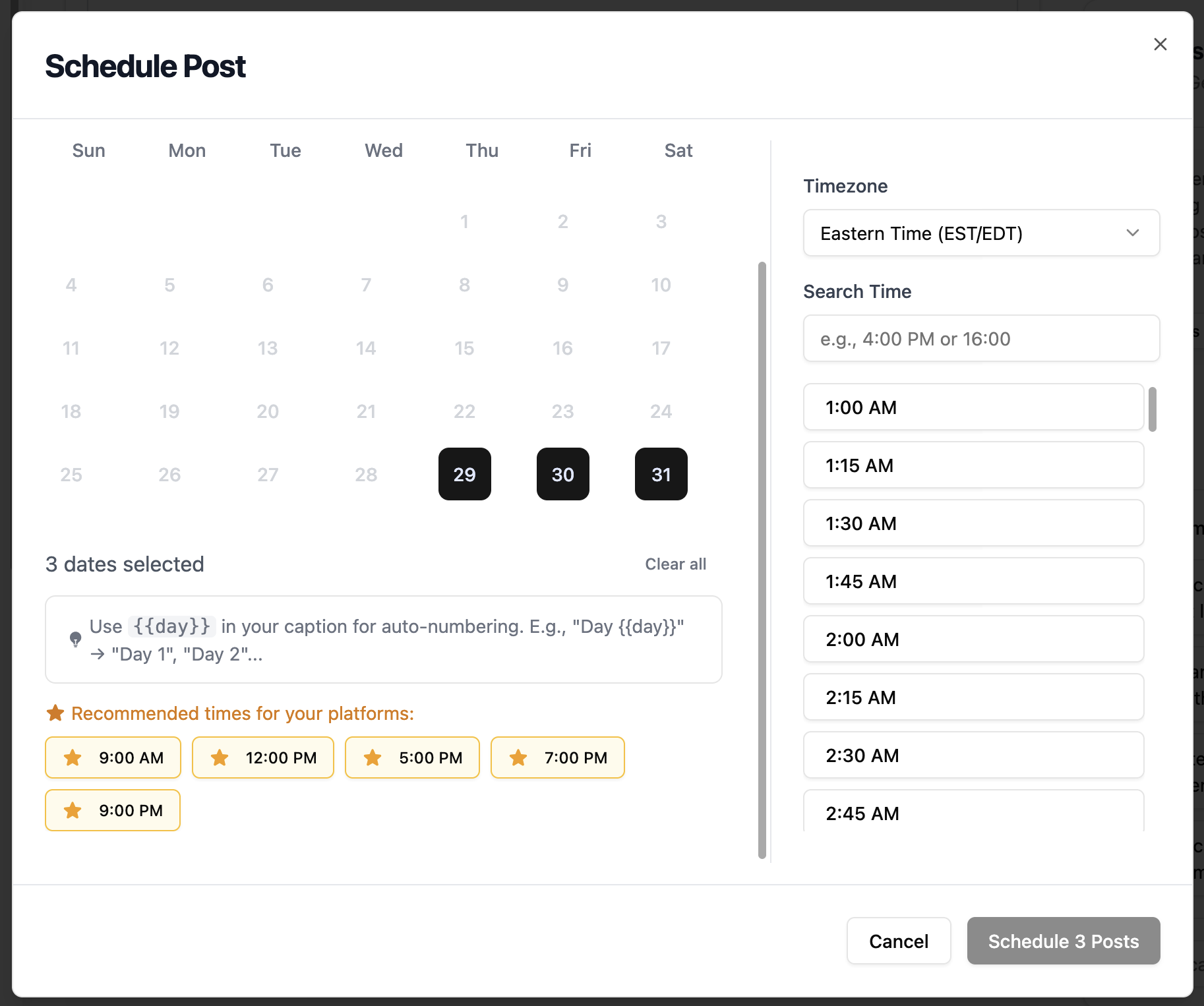
- Use {{#}} for numbered pin series (Tip {{#}}, Recipe {{#}}...)
Add Your Destination Link
Add the URL where you want to drive traffic. Pinterest is excellent for driving website traffic and conversions.
- Link to blog posts, products, or landing pages
- Ensure your destination is mobile-friendly
- Use UTM parameters to track traffic
Schedule Your Pin
Set the optimal time for your Pin to go live. Pinterest engagement varies by niche and audience location.
- Best times: Evenings and weekends
- Saturday mornings are strong for many niches
- Spread pins throughout the week
Pinterest Scheduling Features
Everything you can do when bulk scheduling Pinterest posts with TheTabber.
Pinterest Scheduling Tips
Expert tips to maximize your Pinterest reach with scheduled posts.
Who Should Bulk Schedule Pinterest?
Ideal for bloggers, e-commerce brands, and creators who want to drive traffic from Pinterest to their websites with consistent, SEO-optimized pins.
Ready to Schedule Your Pinterest Posts?
Bulk scheduling Pinterest Pins lets you maintain a consistent pinning strategy that drives traffic to your content. Pinterest is a long-term traffic source - scheduled pins continue driving clicks for months.
Start Scheduling FreePinterest Scheduling FAQ
Why do I need a Pinterest Business account?
Pinterest's API only allows scheduling through Business accounts. Business accounts are free and also give you access to Pinterest Analytics and advertising features.
What's the ideal Pin size?
The optimal Pin size is 1000x1500 pixels (2:3 aspect ratio). Vertical pins perform significantly better than horizontal or square images on Pinterest.
Can I schedule Video Pins?
Yes! TheTabber supports scheduling Video Pins. Upload a video (4 seconds to 15 minutes) and it will be pinned to your selected board.
How many times should I pin per day?
For best results, pin 5-30 times per day spread throughout the day. Consistency is more important than volume. TheTabber makes it easy to schedule pins in advance.
Do hashtags work on Pinterest?
Yes, but use them sparingly. Pinterest recommends 2-5 relevant hashtags. Focus more on keyword-rich descriptions for SEO.
Can I number pins in a series automatically?
Use {{#}} in your pin description. When bulk scheduling, it auto-fills with 1, 2, 3... Great for 'Recipe {{#}}', 'Tip #{{#}}', or numbered how-to guides.