How to Bulk Schedule Facebook Posts
Facebook remains the world's largest social platform with over 3 billion monthly users. Bulk scheduling your Facebook posts allows you to maintain a consistent presence, reach your audience at optimal times, and manage multiple Facebook Pages efficiently from one dashboard.
What You Can Schedule on Facebook
Facebook posts support custom thumbnails for videos, link previews, and the ability to target specific audiences on Business Pages.
How to Bulk Schedule Facebook Posts
Follow these 5 simple steps to schedule your Facebook content.
Connect Your Facebook Pages
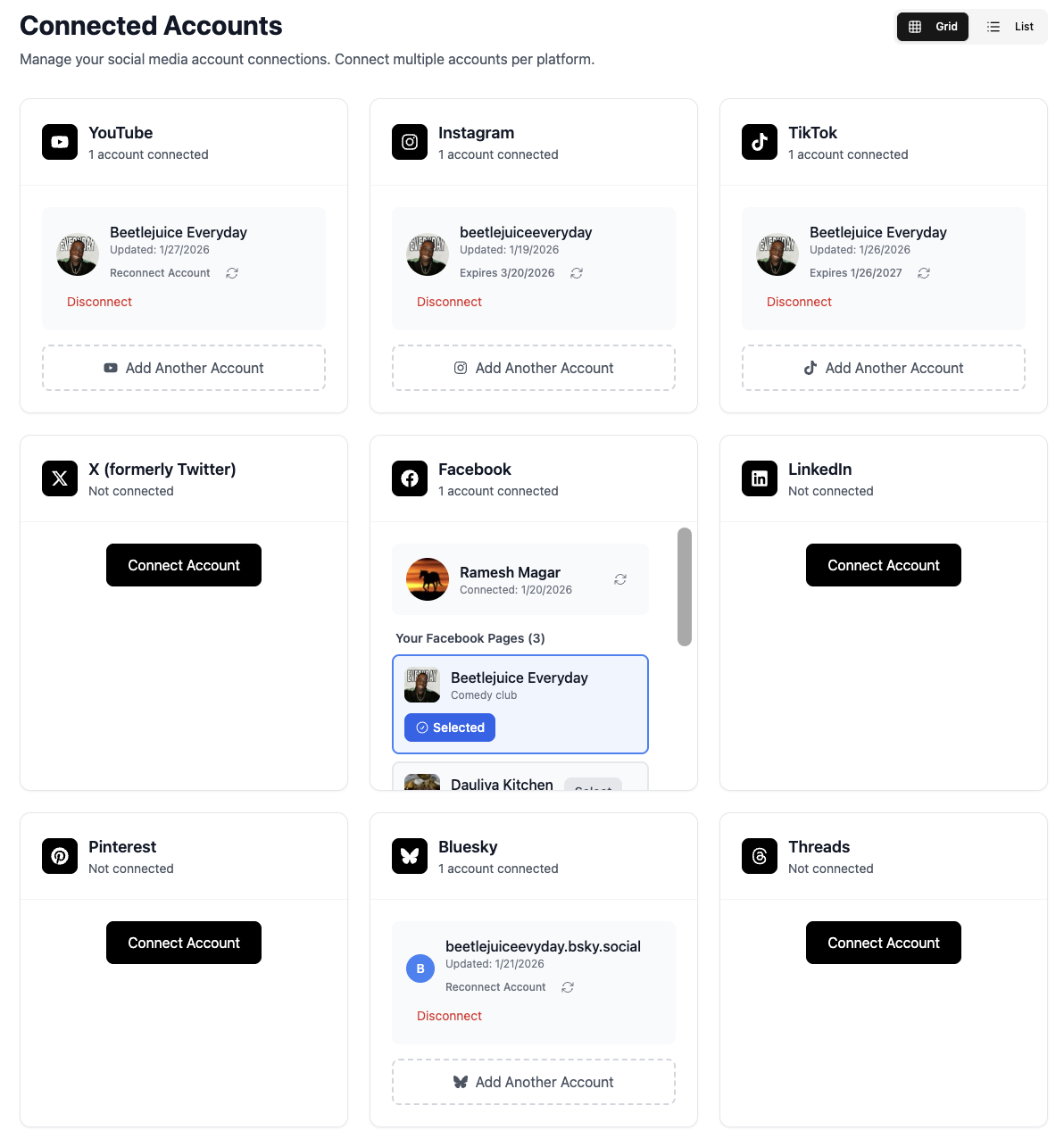
Link your Facebook Pages to TheTabber. You can connect multiple Pages and manage them all from one place. Business Pages, creator Pages, and group Pages are all supported.
- You need admin access to connect a Page
- Connect multiple Pages to post to all at once
- Personal profiles are not supported (Facebook API limitation)
Upload Your Video or Image Content
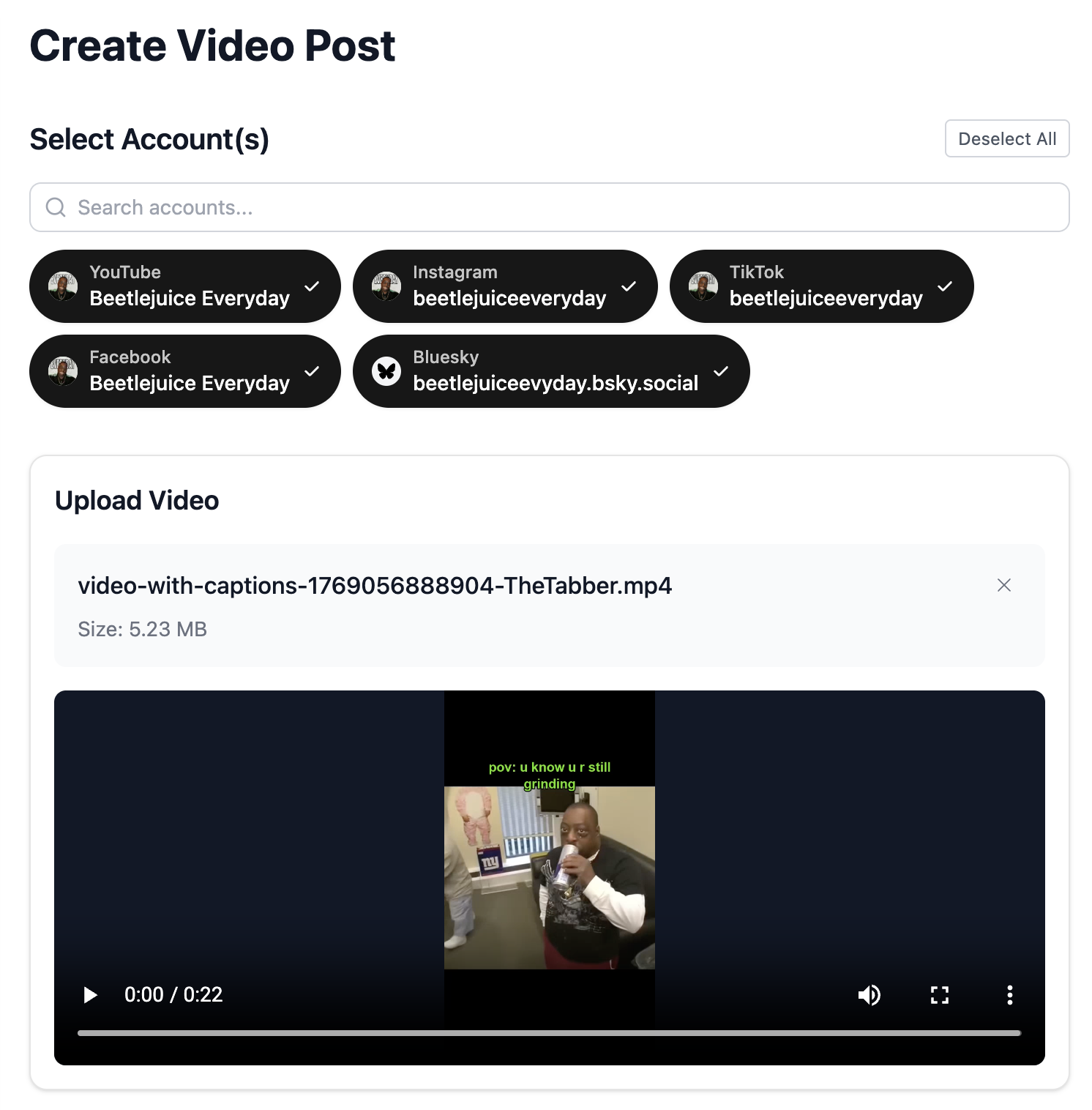
Upload videos for Facebook Video posts or images for feed posts. Facebook supports various formats including landscape, square, and vertical videos.
- Videos up to 240 minutes are supported
- Optimal video resolution: 1080p
- Cover images can be selected for video posts
Select Your Facebook Pages
Choose which Facebook Pages to post to. You can select one or multiple Pages to publish the same content across all your Facebook presence.
- Bulk select all Pages with one click
- Mix with other platforms for cross-posting
- Each Page posts independently
Write Your Facebook Caption
Craft an engaging caption for your Facebook audience. Use our AI assistant to generate compelling copy that drives engagement.
- Facebook allows longer captions - use storytelling
- Include a call-to-action
- Hashtags work but aren't as crucial as other platforms
- Use {{#}} in captions to auto-number posts (Day 1, Day 2, Day 3...)
Schedule Your Post Time
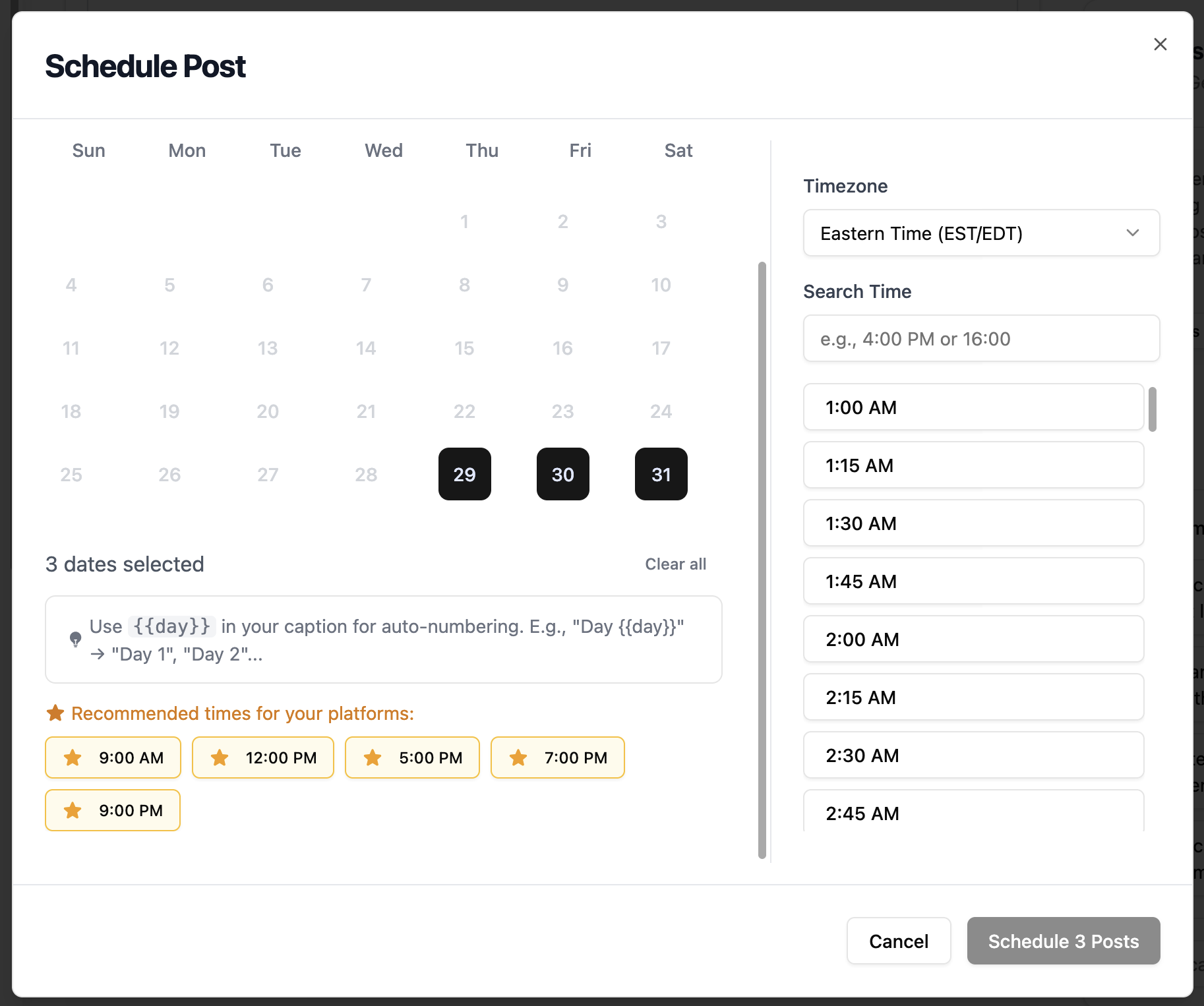
Select the perfect date and time for your Facebook post. Consider your audience's timezone and Facebook's peak engagement hours.
- Best times: Weekdays 9 AM - 3 PM
- Lunch hour (12 PM) sees high engagement
- Friday and Saturday evenings are great for entertainment content
Facebook Scheduling Features
Everything you can do when bulk scheduling Facebook posts with TheTabber.
Facebook Scheduling Tips
Expert tips to maximize your Facebook reach with scheduled posts.
Who Should Bulk Schedule Facebook?
Best for businesses, brands, and creators who want to maintain a consistent presence across multiple Facebook Pages with professional video and image content.
Ready to Schedule Your Facebook Posts?
Bulk scheduling Facebook posts saves hours every week and ensures your content reaches your audience at the right time. With TheTabber, managing multiple Facebook Pages becomes effortless.
Start Scheduling FreeFacebook Scheduling FAQ
Can I schedule posts to Facebook Groups with TheTabber?
Currently, TheTabber supports scheduling to Facebook Pages only. Facebook's API doesn't allow third-party apps to post directly to Groups. For Group content, schedule to your Page and share to Groups manually.
Why can't I connect my personal Facebook profile?
Facebook's API only allows third-party apps to post to Pages, not personal profiles. This is a Facebook policy, not a TheTabber limitation. Create a Facebook Page for your brand to use scheduled posting.
Can I schedule Facebook Reels?
Yes! TheTabber supports scheduling Facebook Reels. Upload a vertical video (9:16 aspect ratio) and it will be posted as a Reel to your Facebook Page.
What happens if my Facebook token expires?
Facebook tokens can expire after 60-90 days. TheTabber will notify you if a scheduled post fails due to an expired token. Simply reconnect your Facebook Page to refresh the token.
Can I edit a Facebook post after scheduling?
Yes, you can edit any scheduled post before it publishes. Go to the Calendar view, click on the post, and make your changes. Once published, edits must be made directly on Facebook.
What does {{#}} do in bulk scheduling?
Use {{#}} in your captions to automatically insert sequential numbers. When you bulk schedule multiple posts, {{#}} gets replaced with 1, 2, 3, etc. Perfect for series like 'Day 1 of...', 'Tip #1', or 'Part 1'.