How to Bulk Schedule TikTok Posts
TikTok is the fastest-growing social platform with over 1.5 billion monthly users. Bulk scheduling your TikTok videos allows you to maintain consistency, post at viral-friendly times, and manage multiple TikTok accounts without being tied to the app all day.
What You Can Schedule on TikTok
TikTok posts support comprehensive privacy controls including visibility settings, interaction permissions (comments, duets, stitches), and commercial content disclosure for brand partnerships.
How to Bulk Schedule TikTok Posts
Follow these 6 simple steps to schedule your TikTok content.
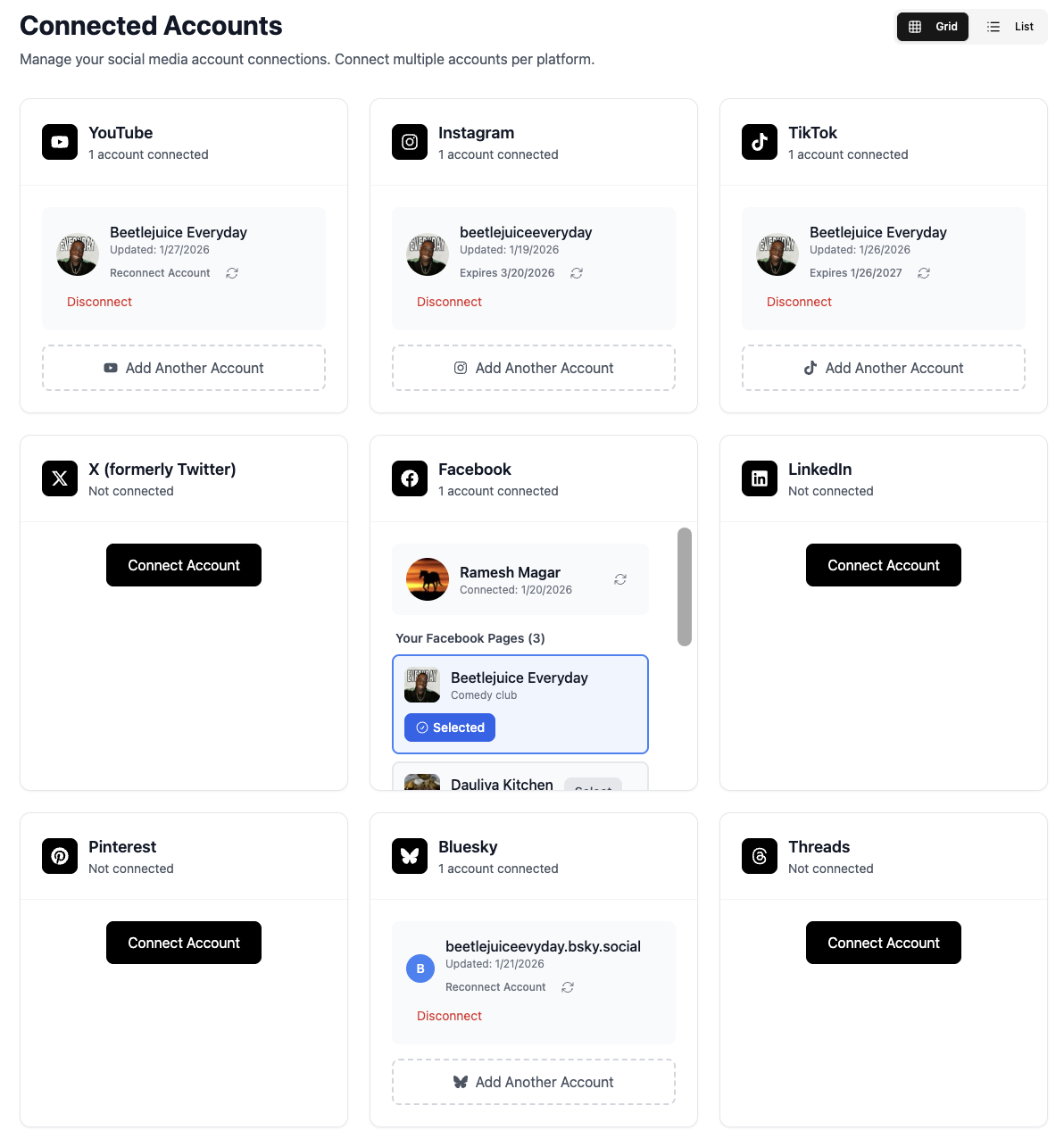
Connect Your TikTok Account
Link your TikTok account to TheTabber through secure OAuth. Both personal and business TikTok accounts are supported.
- Use your TikTok username and password to authenticate
- Connect multiple TikTok accounts
- Business accounts get additional analytics
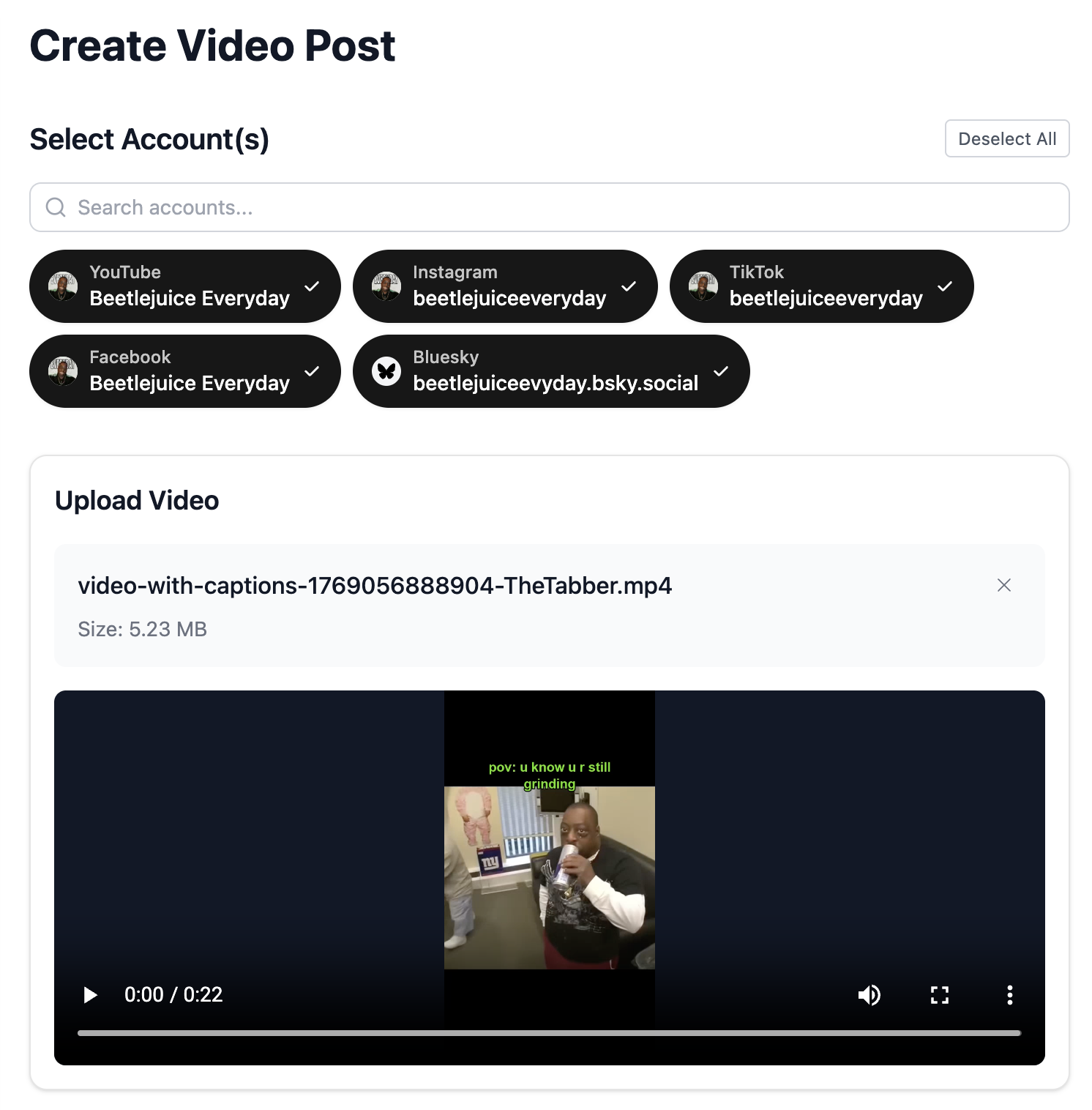
Upload Your TikTok Video
Upload your vertical video content. TikTok videos should be 9:16 aspect ratio and can be up to 10 minutes long.
- Optimal format: 9:16 vertical (1080x1920)
- Videos under 60 seconds often perform best
- Use TheTabber's trim tool to perfect your clips
Select Your TikTok Accounts
Choose which TikTok accounts to post to. Schedule the same video across multiple accounts or customize for each.
- Post to multiple accounts simultaneously
- Great for managing brand + personal accounts
- Each account posts independently
Configure TikTok Privacy Settings
Set your TikTok-specific settings including privacy level, comment permissions, duet/stitch settings, and content disclosure.
- Choose Public, Friends, or Private visibility
- Enable/disable comments, duets, and stitches
- Add commercial content disclosure if required
Write Your TikTok Caption
Craft a short, punchy caption with trending hashtags. TikTok captions should be concise and attention-grabbing.
- Keep it short - TikTok truncates long captions
- Use 3-5 relevant hashtags
- Include trending hashtags for discoverability
- Use {{#}} to auto-number your series (Day {{#}} of...)
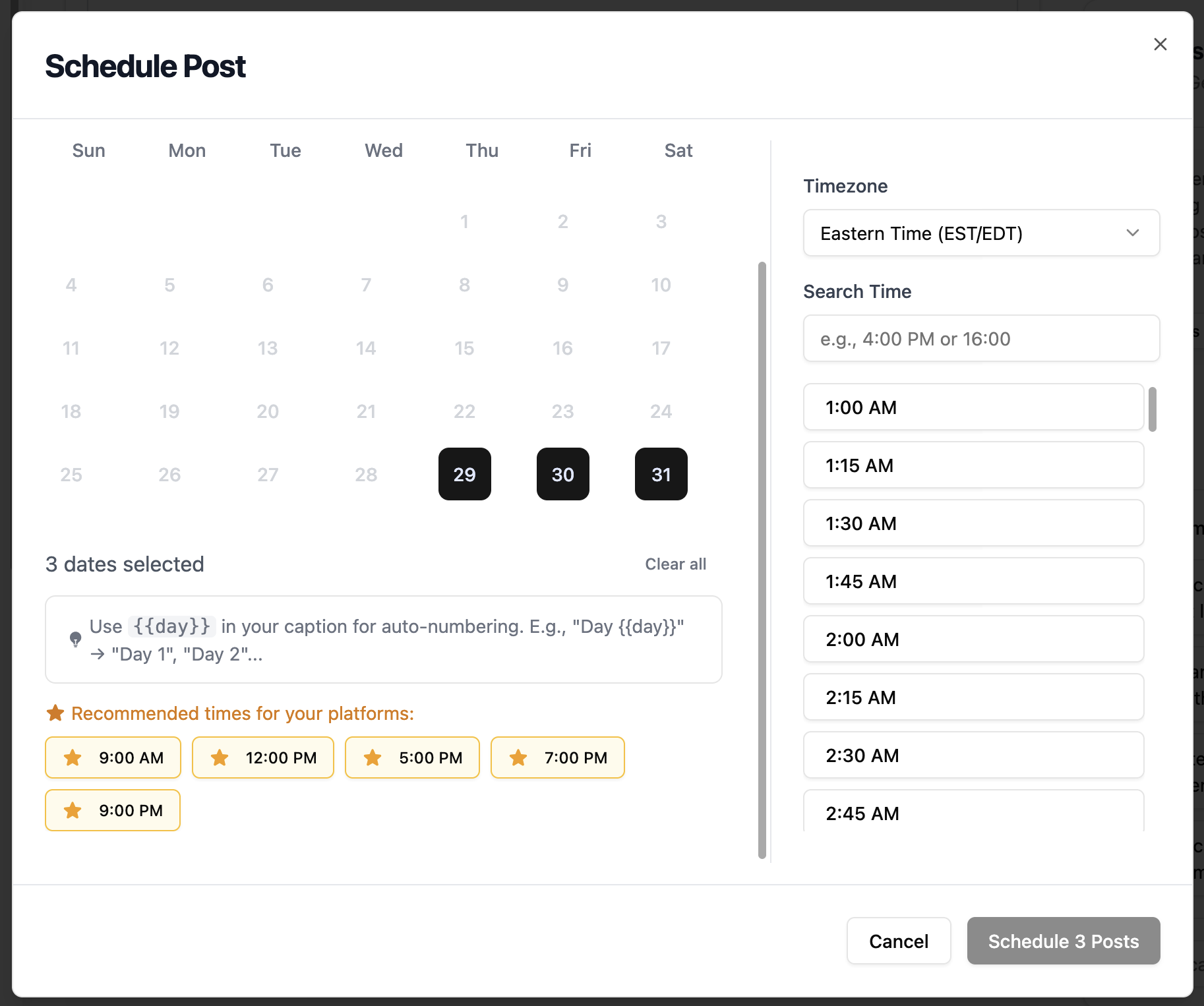
Schedule for Viral Times
Set your posting time for when TikTok users are most active. Evening hours and weekends tend to see the highest engagement.
- Best times: 7 PM - 11 PM
- Weekend evenings are prime for viral potential
- Consistency matters - post at similar times
TikTok Scheduling Features
Everything you can do when bulk scheduling TikTok posts with TheTabber.
TikTok Scheduling Tips
Expert tips to maximize your TikTok reach with scheduled posts.
Who Should Bulk Schedule TikTok?
Ideal for creators, influencers, and brands who want to maintain a consistent TikTok presence across multiple accounts while posting at optimal viral times.
Ready to Schedule Your TikTok Posts?
Bulk scheduling TikTok videos lets you batch your content creation and post at viral-friendly times without being glued to your phone. Consistency is key to TikTok growth.
Start Scheduling FreeTikTok Scheduling FAQ
Can I add TikTok sounds when scheduling?
Scheduled TikTok videos use the original audio from your uploaded video. To use trending TikTok sounds, add them during video editing before uploading to TheTabber.
What are the TikTok privacy settings I can configure?
TheTabber lets you set: visibility (Public/Friends/Private), allow comments (on/off), allow duets (on/off), allow stitches (on/off), and commercial content disclosure for branded content.
Can I schedule TikTok videos longer than 3 minutes?
Yes! TheTabber supports TikTok videos up to 10 minutes. However, shorter videos (under 60 seconds) typically see better completion rates and algorithm favor.
Why did my TikTok post fail to publish?
Common reasons include: expired login token (reconnect your account), video format issues (use 9:16 MP4), or content policy violations. TheTabber shows specific error messages to help you troubleshoot.
Can I edit my TikTok caption after scheduling?
Yes, you can edit any scheduled TikTok post before it publishes. Go to the Calendar view, click on the post, and make changes. After publishing, edits must be made in the TikTok app.
How do I create a numbered series when bulk scheduling?
Add {{#}} anywhere in your caption. When bulk scheduling, it automatically becomes 1, 2, 3... Perfect for 'Day {{#}} of my journey' or 'Tip #{{#}}' series content.