How to Bulk Schedule LinkedIn Posts
LinkedIn is the world's largest professional network with over 1 billion members. Bulk scheduling your LinkedIn posts allows you to maintain thought leadership, share professional content at optimal B2B hours, and grow your network without daily manual posting.
What You Can Schedule on LinkedIn
LinkedIn posts support text, images, videos, and document uploads. Personal profiles and Company Pages can be managed together.
How to Bulk Schedule LinkedIn Posts
Follow these 5 simple steps to schedule your LinkedIn content.
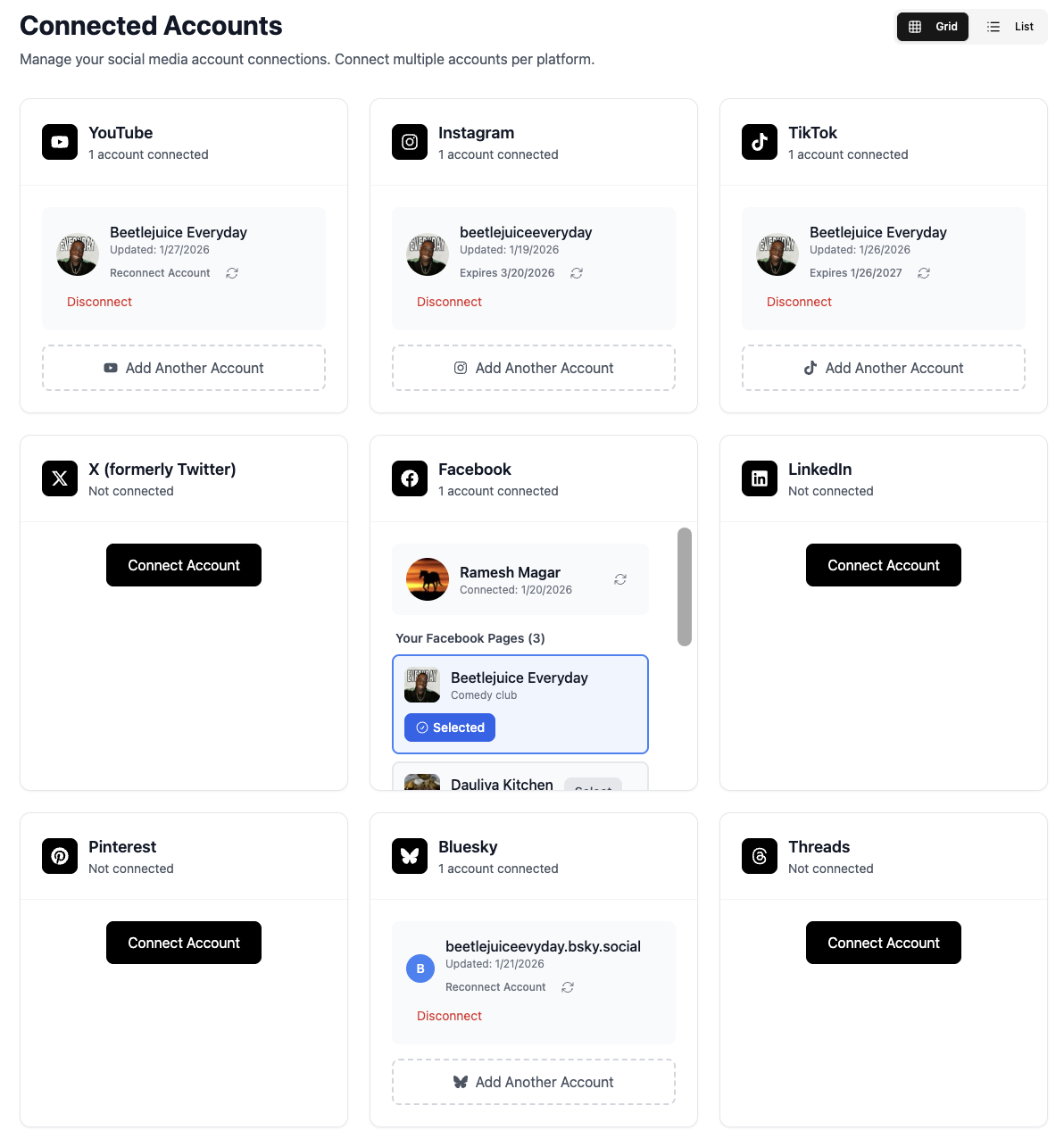
Connect Your LinkedIn Profile or Company Page
Link your LinkedIn profile or Company Page to TheTabber. Both personal profiles and business pages are supported.
- Connect your personal profile for thought leadership
- Add Company Pages you manage
- Admin access required for Company Pages
Create Your Professional Content
Write your post or upload professional images/videos. LinkedIn favors native content over external links.
- Document posts (carousel PDFs) perform excellently
- Native video gets 5x more engagement than links
- Professional, value-driven content works best
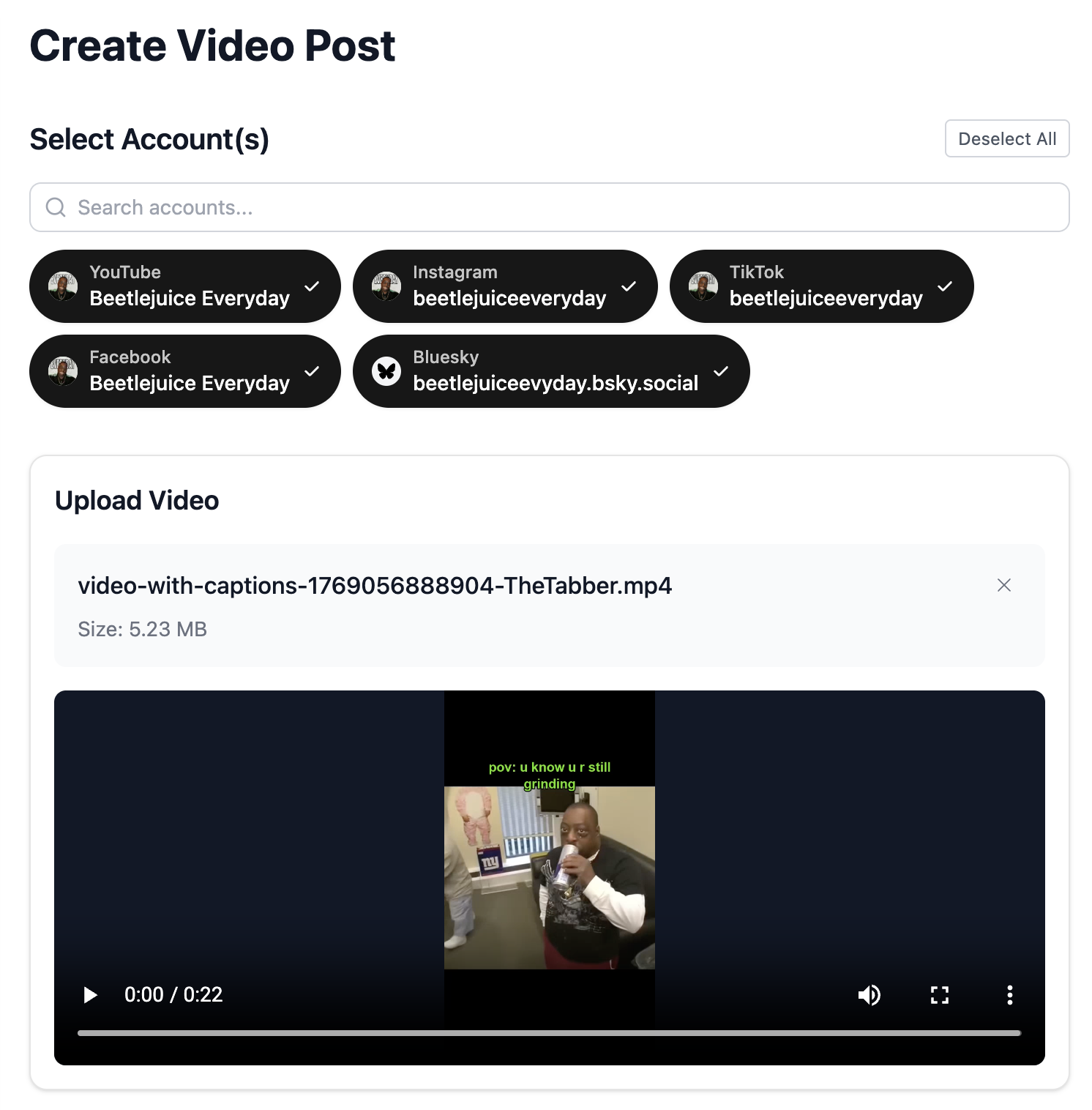
Select Your LinkedIn Accounts
Choose which profiles and Company Pages to post to. Schedule content across your personal brand and company presence.
- Post to profile and Company Page together
- Personal posts often get more reach than Page posts
- Cross-post valuable content to both
Write Your LinkedIn Post
Craft a professional, value-driven post. Use our AI to generate compelling copy that establishes thought leadership.
- Start with a strong hook in the first 2 lines
- Use line breaks for readability
- End with a question or call-to-action
- Use {{#}} for numbered series (Lesson {{#}}, Week {{#}}...)
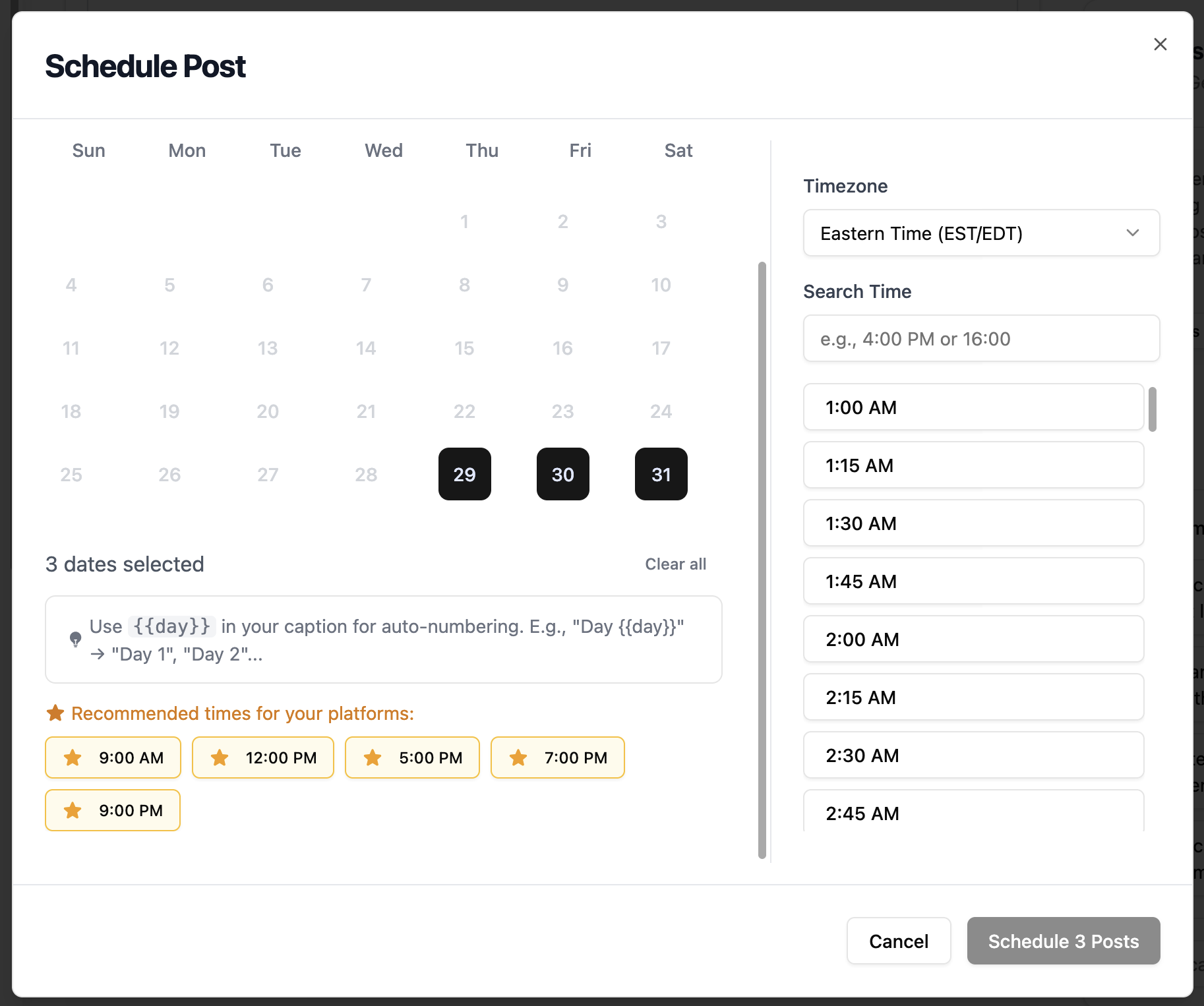
Schedule for B2B Hours
Set your posting time for when professionals are most active. LinkedIn engagement peaks during business hours.
- Best times: Tuesday-Thursday, 8 AM - 12 PM
- Avoid weekends - engagement drops significantly
- Consider your target audience's timezone
LinkedIn Scheduling Features
Everything you can do when bulk scheduling LinkedIn posts with TheTabber.
LinkedIn Scheduling Tips
Expert tips to maximize your LinkedIn reach with scheduled posts.
Who Should Bulk Schedule LinkedIn?
Perfect for professionals, B2B brands, recruiters, and thought leaders who want to maintain a consistent LinkedIn presence with valuable professional content.
Ready to Schedule Your LinkedIn Posts?
Bulk scheduling LinkedIn posts lets you maintain thought leadership with consistent, valuable content. Post during business hours when your professional audience is most active.
Start Scheduling FreeLinkedIn Scheduling FAQ
Can I schedule to both my profile and Company Page?
Yes! TheTabber lets you select multiple LinkedIn destinations. Schedule the same content to your personal profile and Company Page simultaneously.
What content performs best on LinkedIn?
Personal stories with professional lessons, document posts (carousels), native videos, and data-driven insights typically see the highest engagement on LinkedIn.
Can I schedule LinkedIn articles?
TheTabber supports scheduling LinkedIn posts (text, images, videos, documents). Full articles need to be published directly through LinkedIn's article editor.
What's the character limit for LinkedIn posts?
LinkedIn posts can be up to 3000 characters. However, only the first 140 characters show before 'see more', so start with a strong hook.
Should I post on weekends?
LinkedIn engagement drops significantly on weekends as it's a professional platform. Stick to weekday business hours (Tuesday-Thursday mornings are best).
How can I create a numbered series of posts?
Include {{#}} in your post content. When bulk scheduling, it becomes 1, 2, 3... Perfect for 'Lesson {{#}} of 10', 'Week {{#}} Insights', or numbered tip series.