How to Bulk Schedule Threads Posts
Threads is Meta's text-based conversation app with rapid growth among engaged users. Bulk scheduling your Threads posts allows you to join conversations consistently, cross-post from Instagram, and build your presence on this emerging platform.
What You Can Schedule on Threads
Threads posts support text up to 500 characters with optional image attachments. Connected through Instagram for seamless profile management.
How to Bulk Schedule Threads Posts
Follow these 5 simple steps to schedule your Threads content.
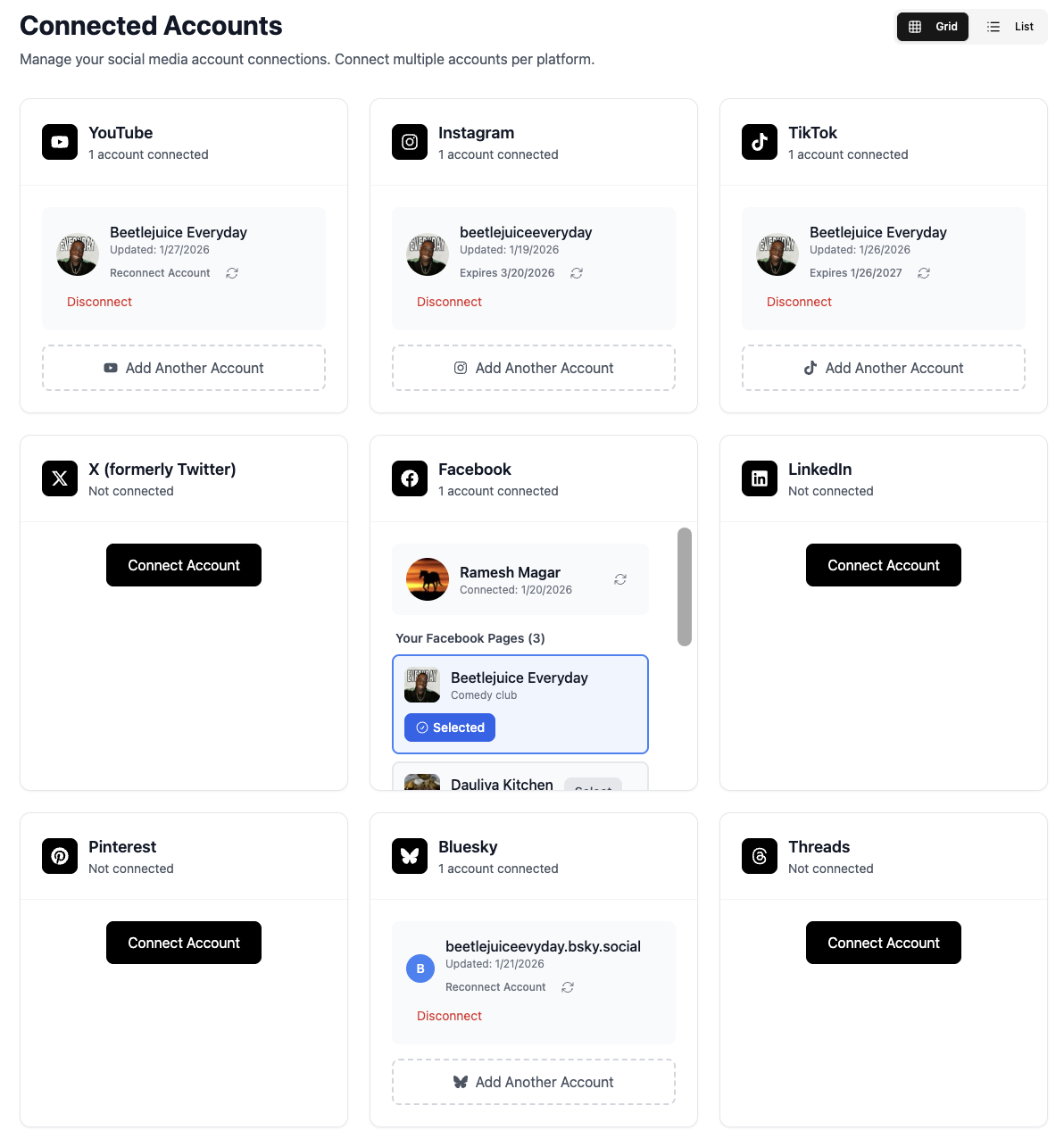
Connect Your Threads Account
Link your Threads account to TheTabber. Threads is connected to your Instagram account, so you'll authenticate through Instagram.
- Threads uses your Instagram credentials
- Your Instagram account must have Threads enabled
- Profile syncs with your Instagram profile
Create Your Thread Content
Write your post or add images. Threads supports text-based conversations with optional media attachments.
- Text-first platform - compelling copy is key
- Add images to boost engagement
- Keep it conversational and authentic
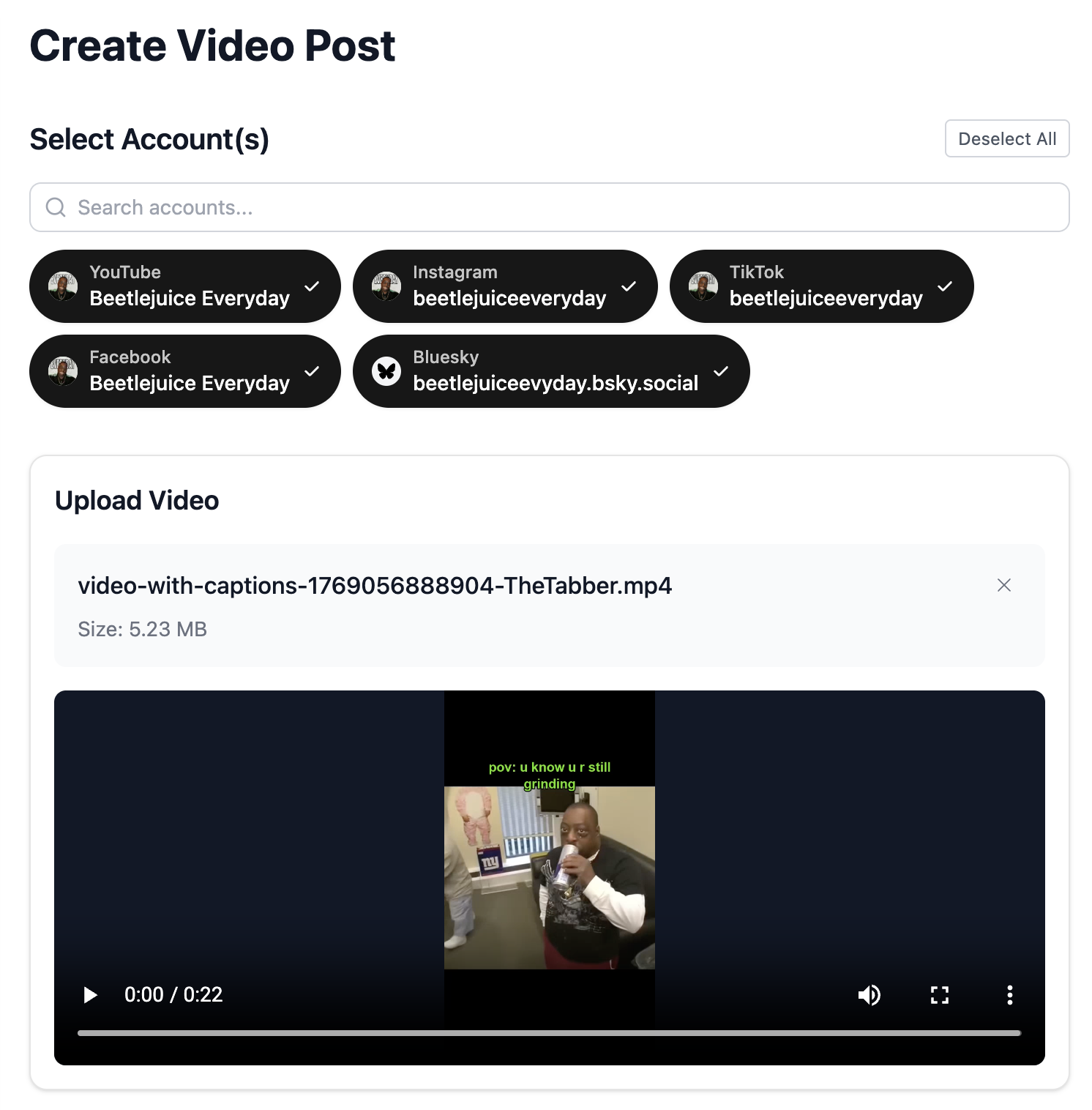
Select Your Threads Accounts
Choose which Threads accounts to post to. Connect multiple Instagram accounts to manage multiple Threads profiles.
- Each Instagram account has one Threads profile
- Post to multiple Threads accounts at once
- Great for personal + brand accounts
Write Your Thread
Craft an engaging, conversational post. Threads favors authentic, personality-driven content over promotional material.
- Be authentic and conversational
- Share thoughts, opinions, and hot takes
- Ask questions to spark discussion
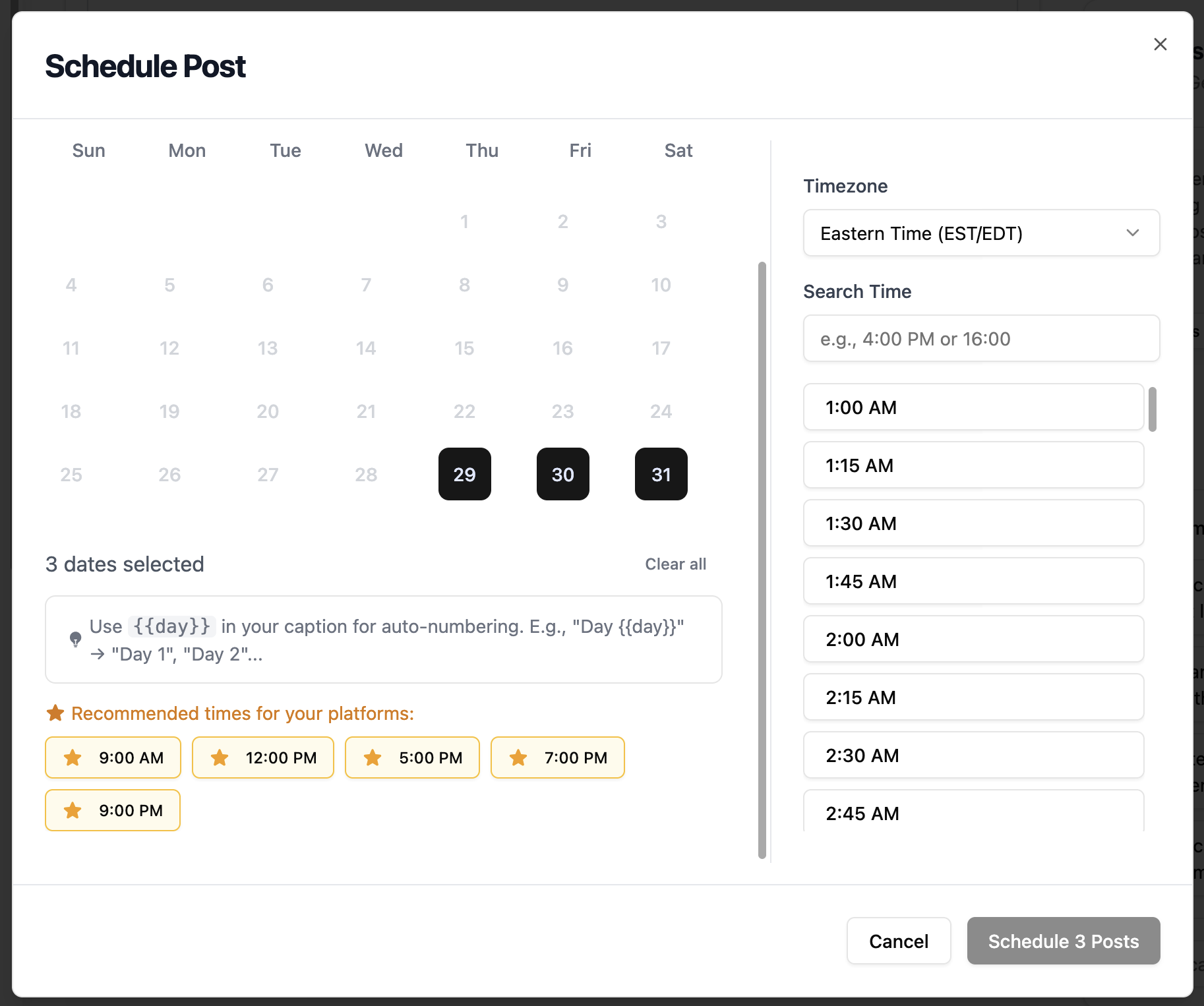
- Use {{#}} to auto-number daily content series
Schedule Your Post
Set your posting time for when Threads users are most active. As a newer platform, optimal times are still being discovered.
- Evening hours see good engagement
- Cross-post from Instagram for consistent presence
- Experiment with posting times for your audience
Threads Scheduling Features
Everything you can do when bulk scheduling Threads posts with TheTabber.
Threads Scheduling Tips
Expert tips to maximize your Threads reach with scheduled posts.
Who Should Bulk Schedule Threads?
Ideal for creators and brands who want to build presence on this emerging platform while leveraging their existing Instagram audience.
Ready to Schedule Your Threads Posts?
Bulk scheduling Threads posts lets you maintain an active presence on this growing platform. Be authentic, engage in conversations, and watch your following grow.
Start Scheduling FreeThreads Scheduling FAQ
Is Threads connected to my Instagram account?
Yes, Threads uses your Instagram account for authentication. Your Threads profile is automatically synced with your Instagram profile, and followers can find you through Instagram.
What's the character limit on Threads?
Threads posts can be up to 500 characters, making it suitable for longer-form thoughts than X but still focused on concise, conversational content.
Can I schedule image posts to Threads?
Yes! TheTabber supports scheduling Threads posts with attached images. You can add images to enhance your text-based posts.
Should I cross-post the same content to X and Threads?
You can, but consider customizing for each platform. Threads users tend to prefer more authentic, less promotional content compared to X.
How do I grow my Threads following?
Engage authentically in conversations, share valuable thoughts regularly, and leverage your Instagram following. Cross-posting helps your Instagram followers find you on Threads.
Can I auto-number posts when bulk scheduling?
Yes! Use {{#}} in your text and it will be replaced with 1, 2, 3... based on scheduling order. Great for daily tips or numbered content series.