How to Bulk Schedule Bluesky Posts
Bluesky is the decentralized social network gaining momentum as an alternative to traditional platforms. Bulk scheduling your Bluesky posts allows you to maintain consistency on this growing platform while building your presence in the decentralized social space.
What You Can Schedule on Bluesky
Bluesky posts support text up to 300 characters with up to 4 image attachments. Uses app passwords for secure third-party access.
How to Bulk Schedule Bluesky Posts
Follow these 5 simple steps to schedule your Bluesky content.
Connect Your Bluesky Account
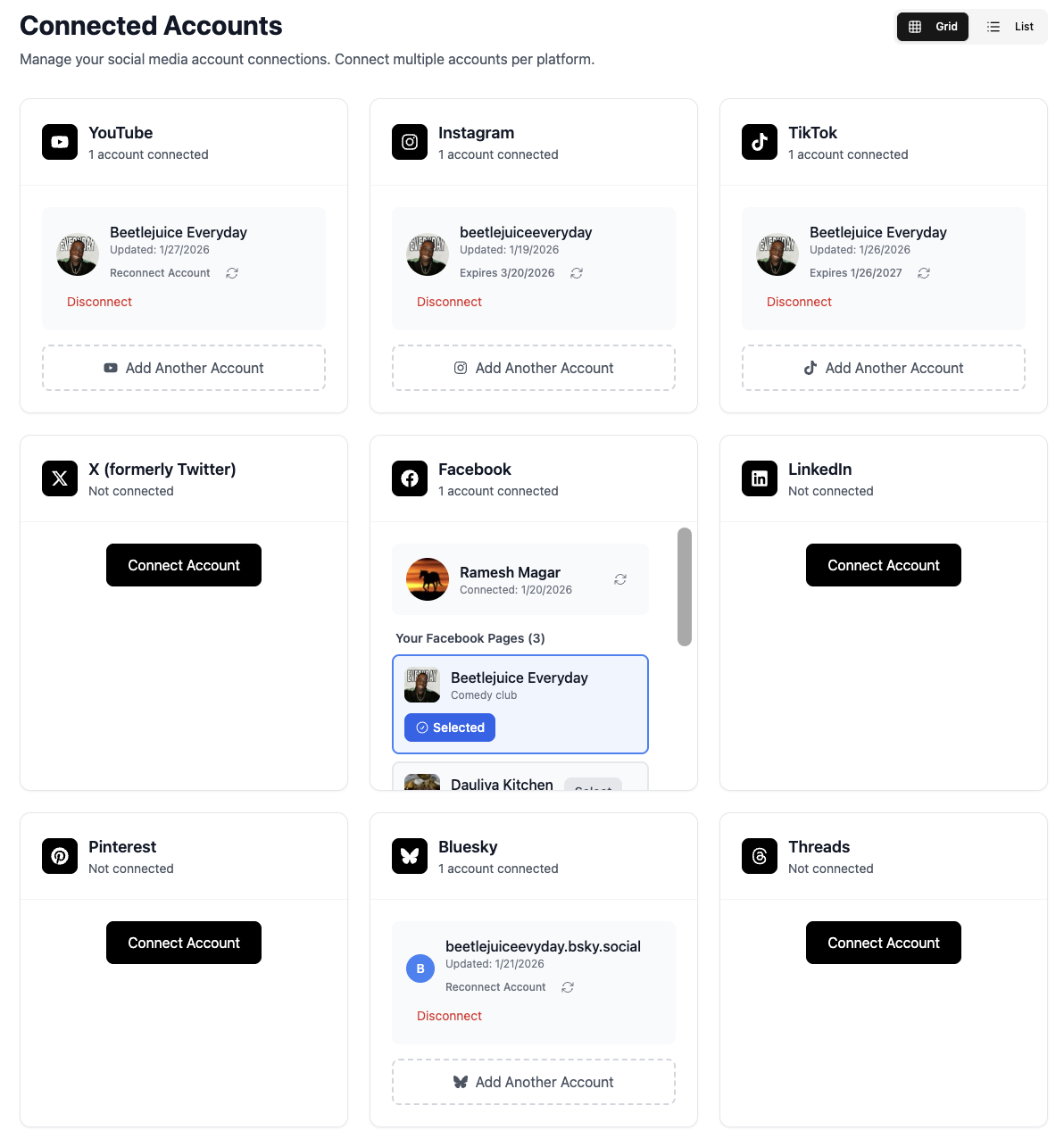
Link your Bluesky account to TheTabber using your handle and app password. Bluesky uses app-specific passwords for third-party access.
- Generate an app password in Bluesky settings
- Use your full handle (e.g., user.bsky.social)
- Connect multiple Bluesky accounts
Create Your Bluesky Content
Write your post or add images. Bluesky supports text-based posts with image attachments and link cards.
- Posts can be up to 300 characters
- Add up to 4 images per post
- Links automatically generate preview cards
Select Your Bluesky Accounts
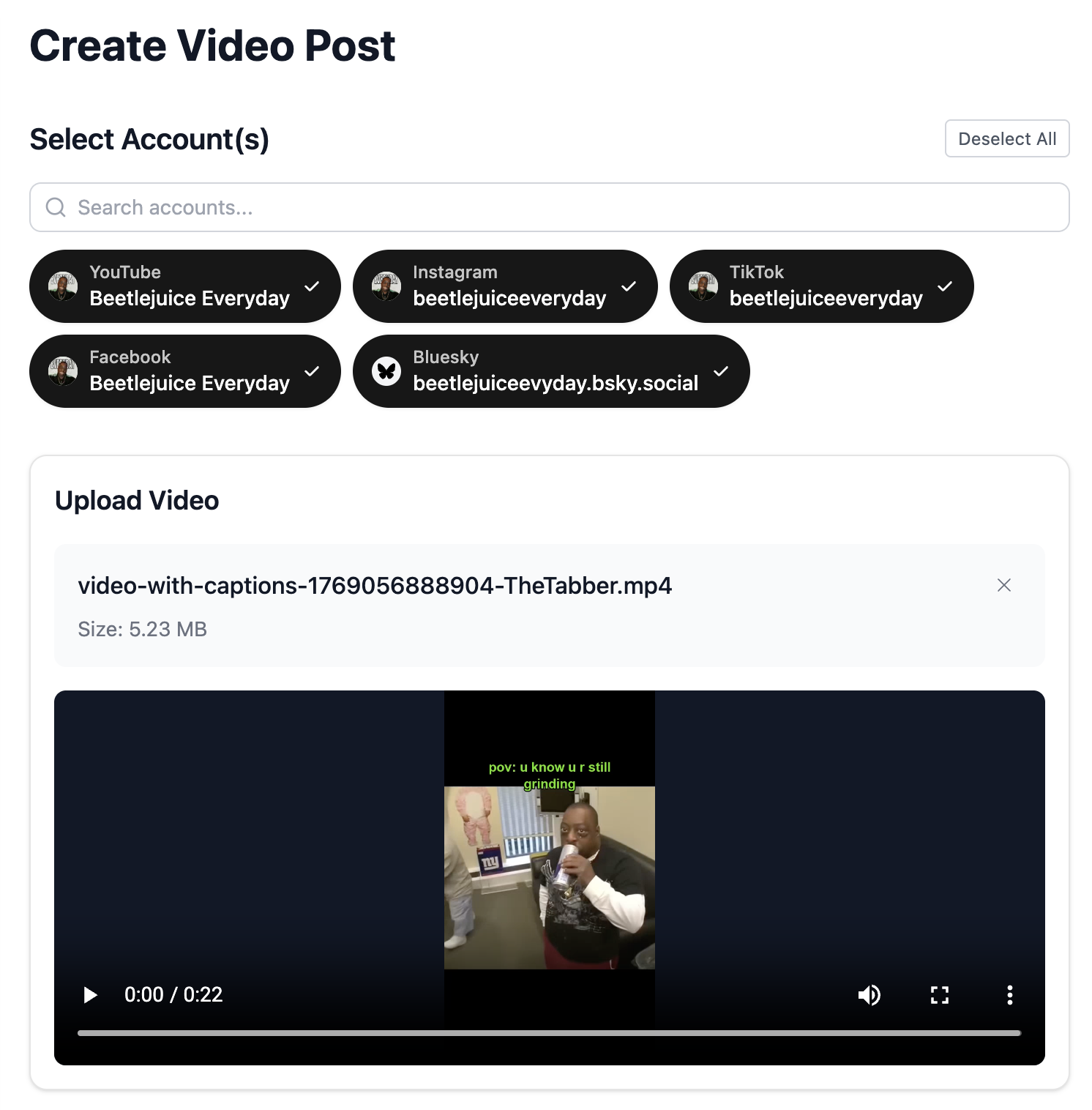
Choose which Bluesky accounts to post to. Schedule the same content across multiple handles.
- Post to multiple accounts at once
- Great for personal + project accounts
- Each account posts independently
Write Your Post
Craft an engaging post for the Bluesky community. The platform values authentic conversation and interesting content.
- Be genuine - Bluesky values authenticity
- Engage with the community, not just broadcast
- Share interesting thoughts and content
- Use {{#}} to number posts in a series automatically
Schedule Your Post
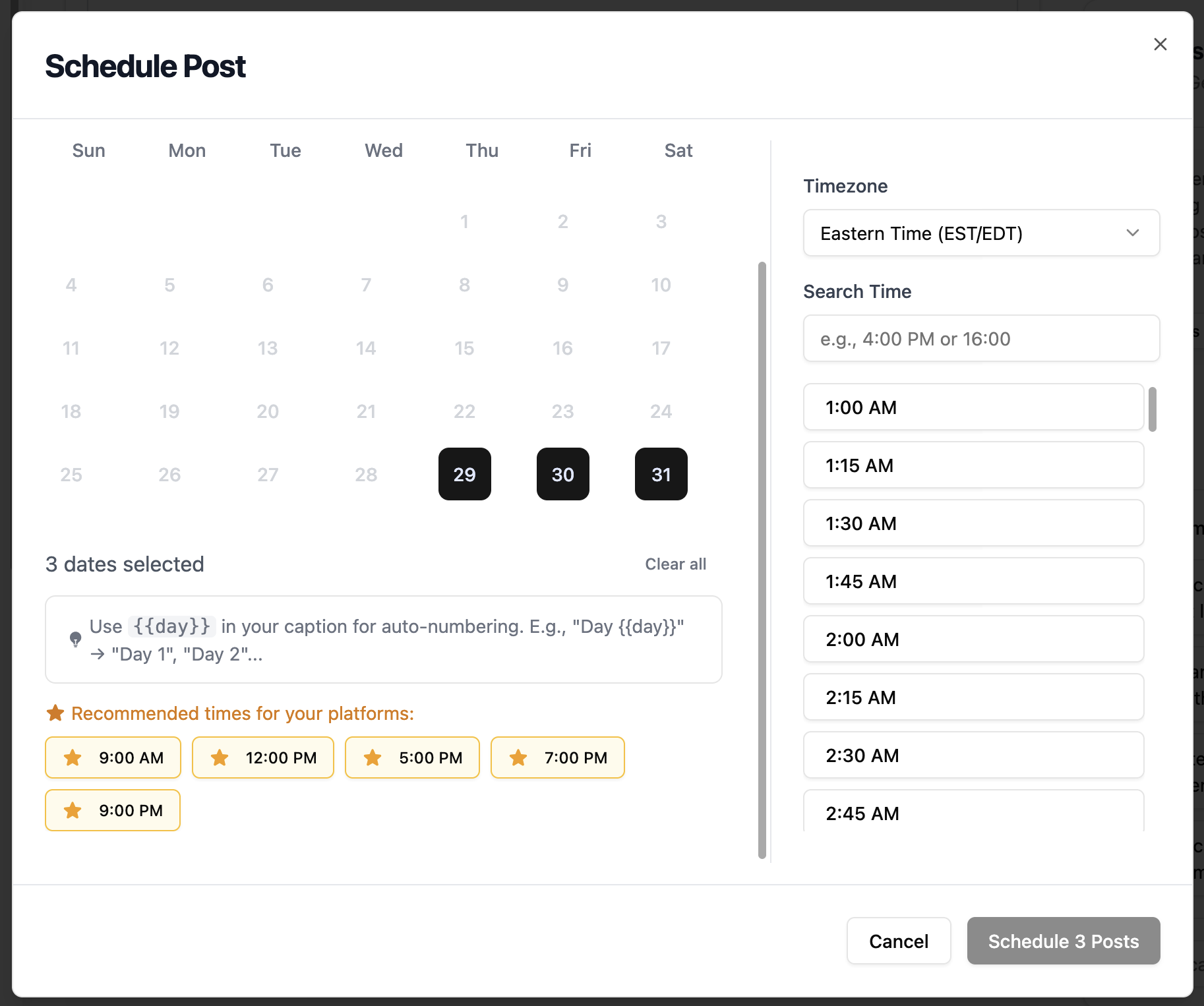
Set your posting time to reach the Bluesky audience. As a growing platform, engagement patterns are evolving.
- Experiment with different posting times
- Consider your target audience's timezone
- Consistency helps build following
Bluesky Scheduling Features
Everything you can do when bulk scheduling Bluesky posts with TheTabber.
Bluesky Scheduling Tips
Expert tips to maximize your Bluesky reach with scheduled posts.
Who Should Bulk Schedule Bluesky?
Perfect for early adopters, tech enthusiasts, and creators who want to establish presence on the decentralized social web.
Ready to Schedule Your Bluesky Posts?
Bulk scheduling Bluesky posts lets you build your presence on this growing decentralized platform. Be an early adopter and establish yourself in this evolving social space.
Start Scheduling FreeBluesky Scheduling FAQ
What's an app password and why do I need one?
Bluesky uses app passwords for third-party apps instead of your main password. Generate one in Bluesky Settings > App Passwords. This keeps your main account secure while allowing TheTabber to post on your behalf.
What's the character limit on Bluesky?
Bluesky posts can be up to 300 characters, similar to the original Twitter limit. This encourages concise, focused content.
Can I include images in scheduled posts?
Yes! TheTabber supports scheduling Bluesky posts with up to 4 images attached. Images are uploaded and embedded in your scheduled posts.
Is Bluesky really decentralized?
Yes, Bluesky is built on the AT Protocol which allows for decentralized social networking. Your identity is portable and you own your data.
How do I grow my Bluesky following?
Engage authentically with the community, post interesting content regularly, and join relevant custom feeds. The Bluesky community rewards genuine participation.
How do I number posts automatically?
Include {{#}} in your post text. It becomes 1, 2, 3... when bulk scheduling. Perfect for 'Day {{#}}' challenges or numbered tip series.